Ly73pr
Ly73pr
Ly73pr
Ly73pr
Last updated at 07/21/2026 07:25:17
Amazon Fire Tv Stick 4k Ultra Hd Hdr Streaming Media Player + Alexa
Delivery $51.39
Affiliate Disclosure: We may receive a small commission for purchases made through this link at no extra cost to you. This helps support our site. Thank you!
Amazon Fire Tv Stick With Alexa Voice Remote - Black
Delivery $32.58
Affiliate Disclosure: We may receive a small commission for purchases made through this link at no extra cost to you. This helps support our site. Thank you!
Amazon Fire TV Stick with Alexa Voice Remote and controls - Black
Delivery between 24–31 July $34.12
originally posted on staples.com
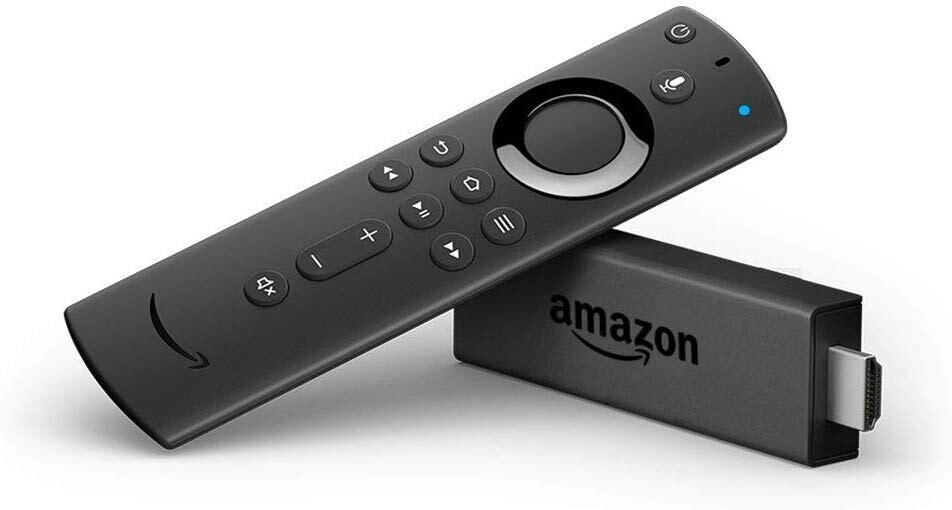
When I cut my cords off cable expenses 5 years ago, I bought the original Fire TV Stick. It lasted and worked pretty good but recently after 5 years, it just died --no power, no connection. I researched the newer ones (Fire StIck LITE vs. 3rd generation) and found out the "FS Lite" remote does not correlate to your TV power and volume. So I went to Staples and purchased the regular 3rd generation (says "Fire TV Stick (supports HD 1080 streaming)" on the box and -- wow. Fast clicking, great power. This one does not support 4K, but I was fine with that because my older TV doesn't have 4K anyway. TV picture is lucid clear, great. On the remote that comes with this stick, the Alexa button is highlighted in blue color now. It has the 4 express buttons on the bottom to ... MoreWhen I cut my cords off cable expenses 5 years ago, I bought the original Fire TV Stick. It lasted and worked pretty good but recently after 5 years, it just died --no power, no connection. I researched the newer ones (Fire StIck LITE vs. 3rd generation) and found out the "FS Lite" remote does not correlate to your TV power and volume. So I went to Staples and purchased the regular 3rd generation (says "Fire TV Stick (supports HD 1080 streaming)" on the box and -- wow. Fast clicking, great power. This one does not support 4K, but I was fine with that because my older TV doesn't have 4K anyway. TV picture is lucid clear, great. On the remote that comes with this stick, the Alexa button is highlighted in blue color now. It has the 4 express buttons on the bottom to instantly bring up Netflix, Prime, Disney, Hulu. (Rather than always having to go back to a "Home" screen to change ) I could not believe how quick the express buttons connect you to those platforms. I must say the quadcore processing power in this Fire Stick works very fast -- which in an impressive feat considering this little thing has no fan or active cooling. (And unlike the "Lite" stick), the remote with this version stick DOES dovetail with your TV power and volume buttons. So it's very nice to use just one remote for mostly everything. Very pleased with my purchase. No complaints. Love it.
originally posted on bestbuy.com
It's awesome.I have older televisions and I had to have a solution that would address my inability to cough up money for a new television. I already have a flat-screen tv, so why should I have to buy a new one simply to be able to stream???In 2019 Sony or Amazon (don't remember which) decided to longer provide support or the functionality to have consumers continue to use their old DVD players as a streaming source. They just ousted it. So, I was no longer able to stream my Amazon Prime related content without either getting a new TV, new DVD player that supported it, or this Fire TV Stick.Now, I'm not saying that the company(s) did this purposefully... perhaps it was just technologically impossible to support an older source since everything is expanding ... MoreIt's awesome.I have older televisions and I had to have a solution that would address my inability to cough up money for a new television. I already have a flat-screen tv, so why should I have to buy a new one simply to be able to stream???In 2019 Sony or Amazon (don't remember which) decided to longer provide support or the functionality to have consumers continue to use their old DVD players as a streaming source. They just ousted it. So, I was no longer able to stream my Amazon Prime related content without either getting a new TV, new DVD player that supported it, or this Fire TV Stick.Now, I'm not saying that the company(s) did this purposefully... perhaps it was just technologically impossible to support an older source since everything is expanding (technologically-speaking).Anyway, this devise really works well. I do use one in every room with all of my older televisions that are all flat panel, but not the "newest" flat panel.It was pretty easy to setup but I'm pretty smart in that area. If it were my dad setting it up... not so much... which is why I had to setup his new tv.Would I buy this again... yes.
originally posted on ebay.com
The Fire Stick is working great after only 1 initial problem. For some reason the remote didn't work after putting batteries in. Removed them and reinserted them several times and kept trying all buttons to no avail. Finally, after about 20 minutes of this the remote came to life with the led lighting up as it should have done at the first. Since the initial problem, it has not reoccurred. Once it was working it was easily paired to the Fire Stick itself. My first Fire Stick, same design minus the additional 4 preset streaming buttons, died after a few years. It's remote still worked but the Fire Stick itself couldn't fully reboot/reload. Spent several hours on the phone with an Amazon tech and he couldn't get it to work either. Had I known several hours would be ... MoreThe Fire Stick is working great after only 1 initial problem. For some reason the remote didn't work after putting batteries in. Removed them and reinserted them several times and kept trying all buttons to no avail. Finally, after about 20 minutes of this the remote came to life with the led lighting up as it should have done at the first. Since the initial problem, it has not reoccurred. Once it was working it was easily paired to the Fire Stick itself. My first Fire Stick, same design minus the additional 4 preset streaming buttons, died after a few years. It's remote still worked but the Fire Stick itself couldn't fully reboot/reload. Spent several hours on the phone with an Amazon tech and he couldn't get it to work either. Had I known several hours would be wasted, I would have just searched and bought this one saving the lost time as the price itself is very affordable. I only use 1 of the 4 preset streaming services buttons currently, but it allows you to go directly to the streaming service even if you're in another service window. I also like being able to able to control my TV's volume as well as turn it on and off with the Fire Stick so I can highly recommend it. The 4K version also gives a great picture quality as long as your television is capable of showing 4K. Otherwise, you will get the best picture quality that your TV can give you. Hopefully it will have a longer life than my previous one did and if my 2nd original Fire Stick should fail, I would replace it with this same upgraded unit. I can highly recommend this Fire Stick unit type based on the above.
| Video Output | 1 x HDMI Male |
| USB Ports | 1 x USB (Power Only) Micro-B |
| HDR Compatibility | HDR10, HDR10+, Hybrid Log Gamma |
| Video Formats | H.264 / AVC, H.265 / HEVC, VP9 |
| Dolby/DTS Support | Dolby Atmos, Dolby Digital, Dolby Digital Plus |
Amazon Fire Tv Stick 4k Ultra Hd Hdr Streaming Media Player + Alexa
Delivery $51.39
Affiliate Disclosure: We may receive a small commission for purchases made through this link at no extra cost to you. This helps support our site. Thank you!
Amazon Fire Tv Stick With Alexa Voice Remote - Black
Delivery $32.58
Affiliate Disclosure: We may receive a small commission for purchases made through this link at no extra cost to you. This helps support our site. Thank you!
Amazon Fire TV Stick with Alexa Voice Remote and controls - Black
Delivery between 24–31 July $34.12
When I cut my cords off cable expenses 5 years ago, I bought the original Fire TV Stick. It lasted and worked pretty good but recently after 5 years, it just died --no power, no connection. I researched the newer ones (Fire StIck LITE vs. 3rd generation) and found out the "FS Lite" remote does not correlate to your TV power and volume. So I went to Staples and purchased the regular 3rd generation (says "Fire TV Stick (supports HD 1080 streaming)" on the box and -- wow. Fast clicking, great power. This one does not support 4K, but I was fine with that because my older TV doesn't have 4K anyway. TV picture is lucid clear, great. On the remote that comes with this stick, the Alexa button is highlighted in blue color now. It has the 4 express buttons on the bottom to ... MoreWhen I cut my cords off cable expenses 5 years ago, I bought the original Fire TV Stick. It lasted and worked pretty good but recently after 5 years, it just died --no power, no connection. I researched the newer ones (Fire StIck LITE vs. 3rd generation) and found out the "FS Lite" remote does not correlate to your TV power and volume. So I went to Staples and purchased the regular 3rd generation (says "Fire TV Stick (supports HD 1080 streaming)" on the box and -- wow. Fast clicking, great power. This one does not support 4K, but I was fine with that because my older TV doesn't have 4K anyway. TV picture is lucid clear, great. On the remote that comes with this stick, the Alexa button is highlighted in blue color now. It has the 4 express buttons on the bottom to instantly bring up Netflix, Prime, Disney, Hulu. (Rather than always having to go back to a "Home" screen to change ) I could not believe how quick the express buttons connect you to those platforms. I must say the quadcore processing power in this Fire Stick works very fast -- which in an impressive feat considering this little thing has no fan or active cooling. (And unlike the "Lite" stick), the remote with this version stick DOES dovetail with your TV power and volume buttons. So it's very nice to use just one remote for mostly everything. Very pleased with my purchase. No complaints. Love it.
It's awesome.I have older televisions and I had to have a solution that would address my inability to cough up money for a new television. I already have a flat-screen tv, so why should I have to buy a new one simply to be able to stream???In 2019 Sony or Amazon (don't remember which) decided to longer provide support or the functionality to have consumers continue to use their old DVD players as a streaming source. They just ousted it. So, I was no longer able to stream my Amazon Prime related content without either getting a new TV, new DVD player that supported it, or this Fire TV Stick.Now, I'm not saying that the company(s) did this purposefully... perhaps it was just technologically impossible to support an older source since everything is expanding ... MoreIt's awesome.I have older televisions and I had to have a solution that would address my inability to cough up money for a new television. I already have a flat-screen tv, so why should I have to buy a new one simply to be able to stream???In 2019 Sony or Amazon (don't remember which) decided to longer provide support or the functionality to have consumers continue to use their old DVD players as a streaming source. They just ousted it. So, I was no longer able to stream my Amazon Prime related content without either getting a new TV, new DVD player that supported it, or this Fire TV Stick.Now, I'm not saying that the company(s) did this purposefully... perhaps it was just technologically impossible to support an older source since everything is expanding (technologically-speaking).Anyway, this devise really works well. I do use one in every room with all of my older televisions that are all flat panel, but not the "newest" flat panel.It was pretty easy to setup but I'm pretty smart in that area. If it were my dad setting it up... not so much... which is why I had to setup his new tv.Would I buy this again... yes.
The Fire Stick is working great after only 1 initial problem. For some reason the remote didn't work after putting batteries in. Removed them and reinserted them several times and kept trying all buttons to no avail. Finally, after about 20 minutes of this the remote came to life with the led lighting up as it should have done at the first. Since the initial problem, it has not reoccurred. Once it was working it was easily paired to the Fire Stick itself. My first Fire Stick, same design minus the additional 4 preset streaming buttons, died after a few years. It's remote still worked but the Fire Stick itself couldn't fully reboot/reload. Spent several hours on the phone with an Amazon tech and he couldn't get it to work either. Had I known several hours would be ... MoreThe Fire Stick is working great after only 1 initial problem. For some reason the remote didn't work after putting batteries in. Removed them and reinserted them several times and kept trying all buttons to no avail. Finally, after about 20 minutes of this the remote came to life with the led lighting up as it should have done at the first. Since the initial problem, it has not reoccurred. Once it was working it was easily paired to the Fire Stick itself. My first Fire Stick, same design minus the additional 4 preset streaming buttons, died after a few years. It's remote still worked but the Fire Stick itself couldn't fully reboot/reload. Spent several hours on the phone with an Amazon tech and he couldn't get it to work either. Had I known several hours would be wasted, I would have just searched and bought this one saving the lost time as the price itself is very affordable. I only use 1 of the 4 preset streaming services buttons currently, but it allows you to go directly to the streaming service even if you're in another service window. I also like being able to able to control my TV's volume as well as turn it on and off with the Fire Stick so I can highly recommend it. The 4K version also gives a great picture quality as long as your television is capable of showing 4K. Otherwise, you will get the best picture quality that your TV can give you. Hopefully it will have a longer life than my previous one did and if my 2nd original Fire Stick should fail, I would replace it with this same upgraded unit. I can highly recommend this Fire Stick unit type based on the above.
Yes, I bought this 3rd Generation Amazon Firestick after previously using an earlier version. I needed to upgrade because the Amazon software and the other apps had outlived my previous hardware. On the earlier version of my Amazon Firestick I would install and reinstall some applications and the software began to stall or time out when attempting to load onto the Firestick.I purchased this Firestick as part of a Christmas Black Friday deal. I have no complaints with this Amazon Firestick as of date and the software and applications are functioning as expected with the updated hardware and software. Of course with any streaming devices they are only as good and entertainment functional as one may be willing spend other $ for other viewing services.
Excellent option for people looking to ditch cable or satellite (Although you still need wifi for it to operate)Numerous apps available to view FREE TV, with each app offering anywhere from 20-30 channels all the way up to a few hundred. Plus LIVE LOCAL weather and local news.For those who are not familiar with this product, besides just the apps listed in the AppStore, since these Firesticks use an Android operating system, you are able to “side load” applications that ARE NOT listed in the AppStore.A lot of these “side loadable” apps have extremely high ratings and have been around for a very long time, so they are relatively safe to install (But always do your own research prior to installing any of them)With some of those apps installed, you can get ... MoreExcellent option for people looking to ditch cable or satellite (Although you still need wifi for it to operate)Numerous apps available to view FREE TV, with each app offering anywhere from 20-30 channels all the way up to a few hundred. Plus LIVE LOCAL weather and local news.For those who are not familiar with this product, besides just the apps listed in the AppStore, since these Firesticks use an Android operating system, you are able to “side load” applications that ARE NOT listed in the AppStore.A lot of these “side loadable” apps have extremely high ratings and have been around for a very long time, so they are relatively safe to install (But always do your own research prior to installing any of them)With some of those apps installed, you can get upwards of 1,500 CHANNELS, PLUS different movie apps in an enormous “on demand” section, as well as live sports and shows/channels from other countries.**Again do your research as far as which apps are safe and have the highest ratings, there are countless reviews pertaining to side loaded apps for the Firestick.
it works fine, no issues with its performance etc. my issue is with its ability to disappear. i commonly lose the remote daily. i live alone, have 1 television, in 1 room. i can sit down, remote in hand, find what i want to watch put the remote next to me on the couch, NEVER getting up, NEVER changing my sitting position, NEVER falling asleep & reach for the remote & its not there. its not anywhere in sight. this happens to me almost daily... not my cell phone, not my samsung remote, only this alexa remote. Its INFURIATING to say the.least. ive had to remove pieces of furniture from the room to find it. it sounds ridiculous but its true. im not the only one either...advice?. make it BIGGER, less CURVACEOUS, less likely to slip & fall between EVERYTHING..i would ... Moreit works fine, no issues with its performance etc. my issue is with its ability to disappear. i commonly lose the remote daily. i live alone, have 1 television, in 1 room. i can sit down, remote in hand, find what i want to watch put the remote next to me on the couch, NEVER getting up, NEVER changing my sitting position, NEVER falling asleep & reach for the remote & its not there. its not anywhere in sight. this happens to me almost daily... not my cell phone, not my samsung remote, only this alexa remote. Its INFURIATING to say the.least. ive had to remove pieces of furniture from the room to find it. it sounds ridiculous but its true. im not the only one either...advice?. make it BIGGER, less CURVACEOUS, less likely to slip & fall between EVERYTHING..i would love to dump the whole firestick alexa thing for one reason. this @#$& remote.
SPEED- This is the biggest upgrade if in my opinion if you are coming from a 2nd generation device. The specs mention that this 3rd generation is “50% more powerful,” and you can definitely tell the difference in navigating menus and loading applications. This is probably the biggest reason to upgrade from Gen 2.DOLBY ATMOS – This might not be a big deal for many people, but support for the Dolby Atmos specification is nice for audiophiles with home speaker systems that can make use of it.REMOTE – As I mentioned in my review of this new remote, the main additions are the “Channel Guide” button, that brings up the menu to watch live TV if you have that set up; and the four App Buttons- for quickly launching Prime Video, Netflix, Disney Plus, and Hulu. The remote ... MoreSPEED- This is the biggest upgrade if in my opinion if you are coming from a 2nd generation device. The specs mention that this 3rd generation is “50% more powerful,” and you can definitely tell the difference in navigating menus and loading applications. This is probably the biggest reason to upgrade from Gen 2.DOLBY ATMOS – This might not be a big deal for many people, but support for the Dolby Atmos specification is nice for audiophiles with home speaker systems that can make use of it.REMOTE – As I mentioned in my review of this new remote, the main additions are the “Channel Guide” button, that brings up the menu to watch live TV if you have that set up; and the four App Buttons- for quickly launching Prime Video, Netflix, Disney Plus, and Hulu. The remote also allows control of your TV through power and volume buttons that are not available in the FireTV Stick Lite.CONS:NO 4K- This version does not support 4K video streaming, and I wouldn't imagine that it will be supported in the future either, because there is a FireTV Stick 4K product that exists if you want that feature. That FireTV Stick 4K is still shipping with the older 2nd generation Alexa Voice Remote currently though, (the one with a TV power button but no app buttons or channel guide button), so that's kind of disappointing.All in all, this to me is worth the upgrade from and older FireTV Stick, mainly because of the speed difference but also the newer remote is nice to have. If 4K matters to you, you might want to wait and grab the FireTV Stick 4K version when they eventually start shipping it with the new Gen 3 remote. The Lite version doesn't really seem like it would be worth it in most situations, because for only $10 less you lose Atmos support and all of the TV controls (power, volume, channel guide, app buttons, etc)
I love the Fire TV Stick. I already had the Apple TV but I wanted to eliminate having so many wires and cords and this was the perfect solution. I can use my current "dumb" tv and plug the Fire TV Stick into it and I can enjoy all of my favorite shows and streaming services. I can even watch previous movies or shows I purchased with my Apple TV account because it allows you to download that app. Whenever I can't find the remote Alexa turns my tv on and I can watch anything I want just by saying it out loud. I love that I can travel with my Fire TV Stick and enjoy tv whenever I am not at home. I have a lot of health issues and have to be hospitalized often and now I never have to be without my favorites: Netflix, Hulu and YouTube. The only minor downfall I can really ... MoreI love the Fire TV Stick. I already had the Apple TV but I wanted to eliminate having so many wires and cords and this was the perfect solution. I can use my current "dumb" tv and plug the Fire TV Stick into it and I can enjoy all of my favorite shows and streaming services. I can even watch previous movies or shows I purchased with my Apple TV account because it allows you to download that app. Whenever I can't find the remote Alexa turns my tv on and I can watch anything I want just by saying it out loud. I love that I can travel with my Fire TV Stick and enjoy tv whenever I am not at home. I have a lot of health issues and have to be hospitalized often and now I never have to be without my favorites: Netflix, Hulu and YouTube. The only minor downfall I can really think of is that new FireTV account holders does not allow Spectrum TV customers to stream their tv plan and only previous fire tv account holders can keep that feature because it's grandfathered in. If you decide to buy the Fire TV Stick you would just have to download each tv channel app whenever you want to watch a tv show or movie when it actually airs on tv or else you have to wait until the next day to catch on Hulu. Personally, I don't mind waiting until the next day because I HATE watching commercials.
Okay, despite the title saying it's terrible, I did really like this device when I first got it. It lagged a bit at times, but I got over it. But earlier today, the remote completely stopped working. This happened a few times this day, but eventually worked again.... Until it didn't. I pressed the buttons over and over, but nothing responded, it was like the remote wasn't connect. Changed the batteries and reset the device multiple times. Chatted with Amazon customer service for an hour trying to get it to work (had to go through three different people because I kept getting kicked out due to inactivity). One person told me to connect my phone and do a factory reset. Did that, but then I couldn't even get the remote to connect again. Completely stopped working and I ... MoreOkay, despite the title saying it's terrible, I did really like this device when I first got it. It lagged a bit at times, but I got over it. But earlier today, the remote completely stopped working. This happened a few times this day, but eventually worked again.... Until it didn't. I pressed the buttons over and over, but nothing responded, it was like the remote wasn't connect. Changed the batteries and reset the device multiple times. Chatted with Amazon customer service for an hour trying to get it to work (had to go through three different people because I kept getting kicked out due to inactivity). One person told me to connect my phone and do a factory reset. Did that, but then I couldn't even get the remote to connect again. Completely stopped working and I have no idea why.
Wow, this Firestick impressed me! So many new features and improvements over previous generations.First, setup is a breeze! It really is a plug and play setup. Everything you need is included, including the batteries for the remote! Just plug in the hdmi end to your tv (make sure you pay attention to what port/input you are using as this is where you’ll watch the Fire Stick), then plug in the power source and it will go through what language, let you input your WiFi info, and do any necessary updates. Mine did have an update upon setup but it’s pretty fast depending on your connection. With mine, it automatically detected my tv so I can also use the remote to adjust volume, etc. I love this feature and always hated having to remember tv codes to program remotes or ... MoreWow, this Firestick impressed me! So many new features and improvements over previous generations.First, setup is a breeze! It really is a plug and play setup. Everything you need is included, including the batteries for the remote! Just plug in the hdmi end to your tv (make sure you pay attention to what port/input you are using as this is where you’ll watch the Fire Stick), then plug in the power source and it will go through what language, let you input your WiFi info, and do any necessary updates. Mine did have an update upon setup but it’s pretty fast depending on your connection. With mine, it automatically detected my tv so I can also use the remote to adjust volume, etc. I love this feature and always hated having to remember tv codes to program remotes or having to manually scan for codes! This makes this setup the smoothest and fastest possible!I love that the fire stick allows me to have our entertainment at my fingertips, with only one device. We are a streaming family and stream from Amazon Prime, Netflix, Hulu, etc. I can also access my channels through Prime such as Discovery + all in one place. It essentially turns any tv into a smart tv. You can access the weather, your photo gallery (if uploaded), Facebook, browser, etc.For families, you can setup users and customize the home page. Another great feature, especially in today’s world, allows you to setup parental control so you can limit each profile specific to the user.I’ve been using my Fire Stick daily since it’s arrival and I am still discovering new features! I love the interface and ease of setup. Highly recommend.
| Video Output | 1 x HDMI Male |
| USB Ports | 1 x USB (Power Only) Micro-B |
| HDR Compatibility | HDR10, HDR10+, Hybrid Log Gamma |
| Video Formats | H.264 / AVC, H.265 / HEVC, VP9 |
| Dolby/DTS Support | Dolby Atmos, Dolby Digital, Dolby Digital Plus |

