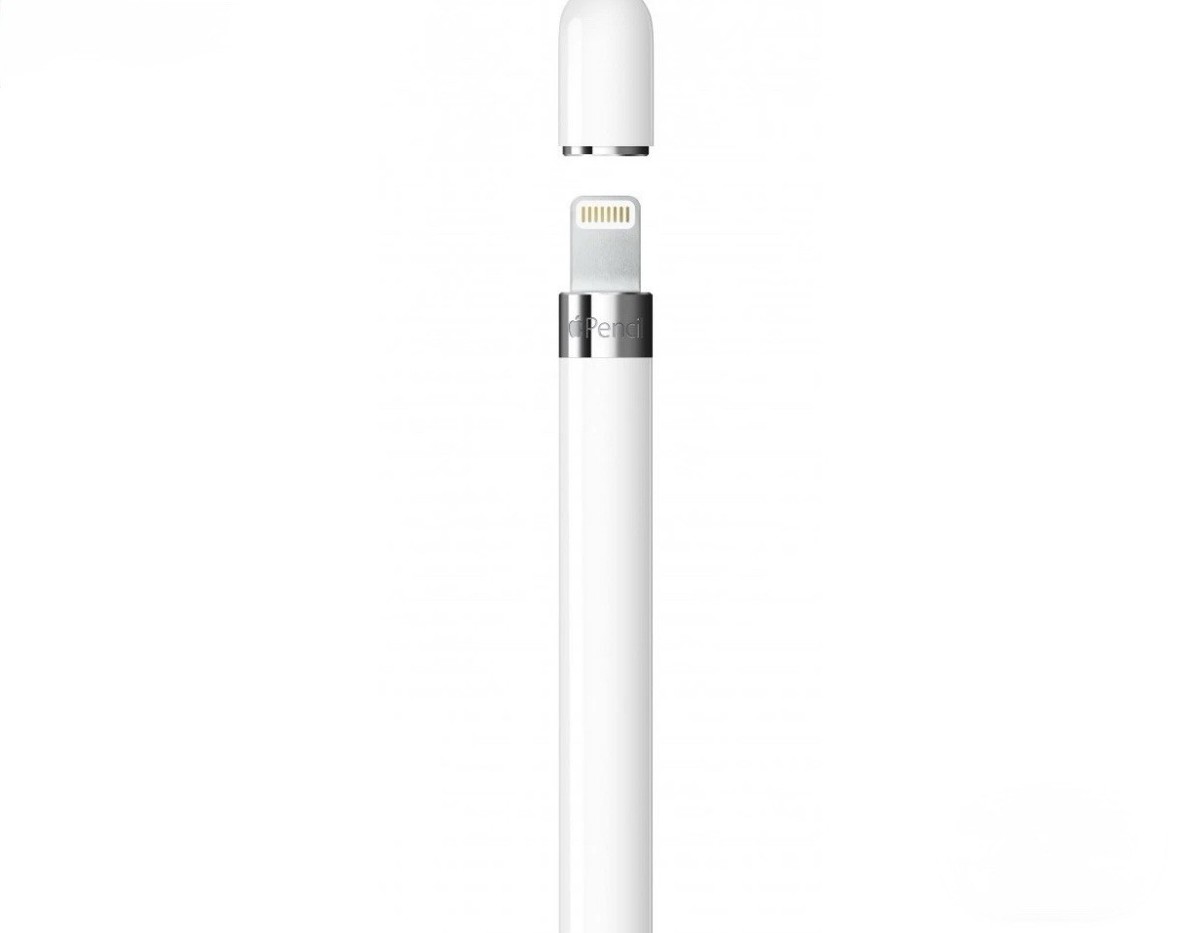
Unleash your creativity with the 1st gen Apple Pencil. Connect it to your iPad Pro or 6th Gen iPad via Bluetooth and start drawing, painting, writing, and drafting with single-pixel accuracy. Vary line weight, create subtle shading, and produce a wide range of artistic effects with ease. Alter the thickness and shading of the mark you're making in a fluid, natural manner. This pencil is sensitive to pressure and tilt, making it a perfect tool for artists and designers. With a 12-hour battery life and 30 minutes of usage time with just a 15-second charge, you can keep your creative work going for longer.
Unleash your creativity with the 1st gen Apple Pencil. Connect it to your iPad Pro or 6th Gen iPad via Bluetooth and start drawing, painting, writing, and drafting with single-pixel accuracy. Vary line weight, create subtle shading, and produce a wide range of artistic effects with ease. Alter the thickness and shading of the mark you're making in a fluid, natural manner. This pencil is sensitive to pressure and tilt, making it a perfect tool for artists and designers. With a 12-hour battery life and 30 minutes of usage time with just a 15-second charge, you can keep your creative work going for longer.
Unleash your creativity with the 1st gen Apple Pencil. Connect it to your iPad Pro or 6th Gen iPad via Bluetooth and start drawing, painting, writing, and drafting with single-pixel accuracy. Vary line weight, create subtle shading, and produce a wide range of artistic effects with ease. Alter the thickness and shading of the mark you're making in a fluid, natural manner. This pencil is sensitive to pressure and tilt, making it a perfect tool for artists and designers. With a 12-hour battery life and 30 minutes of usage time with just a 15-second charge, you can keep your creative work going for longer.
Unleash your creativity with the 1st gen Apple Pencil. Connect it to your iPad Pro or 6th Gen iPad via Bluetooth and start drawing, painting, writing, and drafting with single-pixel accuracy. Vary line weight, create subtle shading, and produce a wide range of artistic effects with ease. Alter the thickness and shading of the mark you're making in a fluid, natural manner. This pencil is sensitive to pressure and tilt, making it a perfect tool for artists and designers. With a 12-hour battery life and 30 minutes of usage time with just a 15-second charge, you can keep your creative work going for longer.
Last updated at 08/21/2026 23:54:25
Apple Apple Pen 1st Gen Pen
Delivery $14.50
Apple Pencil (1st Generation) Stylus For Apple Ipad - White
Delivery $33.55
Affiliate Disclosure: We may receive a small commission for purchases made through this link at no extra cost to you. This helps support our site. Thank you!
Apple Pencil (1st Generation) Stylus Pen For Touch Screens - White
Delivery $35.88
Affiliate Disclosure: We may receive a small commission for purchases made through this link at no extra cost to you. This helps support our site. Thank you!
Apple Pencil (1st Generation) Stylus for Apple iPad - White (MQLY3AM/A)
Affiliate Disclosure: We may receive a small commission for purchases made through this link at no extra cost to you. This helps support our site. Thank you!
Apple Pencil (1st Generation) Stylus Pen For Touch Screens - White
Delivery $64.17
Affiliate Disclosure: We may receive a small commission for purchases made through this link at no extra cost to you. This helps support our site. Thank you!
Apple Pencil (1st generation) with USB-C to Apple pencil Adapter (MQLY3AM/A)
Affiliate Disclosure: We may receive a small commission for purchases made through this link at no extra cost to you. This helps support our site. Thank you!
Apple Pencil (1st Generation) With Usb-c To Apple Pencil Adapter
Delivery $53.32
Affiliate Disclosure: We may receive a small commission for purchases made through this link at no extra cost to you. This helps support our site. Thank you!
Apple Pencil 1st Gen including USB-C Pencil Adpater for iPad 10th Gen
originally posted on bestbuy.com
The only bad thing I can say about this is that sometimes it gets a little slippery and I wish it had a little more texture. Other than that, this pencil is awesome and a great addition to any iPad. I use it with Lightroom and OneNote mainly. Taking notes or drawing diagrams on one note is fast and easy with this pencil. For Lightroom, it’s made applying masks and using healing brushes so much easier and more precise. I would absolutely recommend this for iPad users.
originally posted on Target
I have been looking for a viable substitute for a large whiteboard for the longest time. I have used MindMap apps with some success, but there's still no replacement for how ideas seem to flow naturally and intuitively on a whiteboard. The Apple Pencil with the FreeForm app is the closest I have experienced to a full size whiteboard. The writing experience is nothing short of exceptional. The experience mirrors writing on paper or the whiteboard. It feels natural and fatigue from writing is less than writing on paper or a whiteboard. The Apple Pencil simply glides on the screen. I know that many people use the Apple Pencil for sketching, but I have not used it for that. Nor do I plan to do so with the Apple Pencil. But for those looking to take notes on their iPad, ... MoreI have been looking for a viable substitute for a large whiteboard for the longest time. I have used MindMap apps with some success, but there's still no replacement for how ideas seem to flow naturally and intuitively on a whiteboard. The Apple Pencil with the FreeForm app is the closest I have experienced to a full size whiteboard. The writing experience is nothing short of exceptional. The experience mirrors writing on paper or the whiteboard. It feels natural and fatigue from writing is less than writing on paper or a whiteboard. The Apple Pencil simply glides on the screen. I know that many people use the Apple Pencil for sketching, but I have not used it for that. Nor do I plan to do so with the Apple Pencil. But for those looking to take notes on their iPad, I think the Apple Pencil is about as good as it gets for a substitute for a whiteboard. I still use a 4'x8' whiteboard, but I will say that a lot of my less intense brainstorming sessions can be done with the iPad. This greatly expands my capacity for brainstorming since I can do so virtually anywhere I have my iPad with me. Overall, what the Apple Pencil has afforded me the capacity to brainstorm and take notes with my iPad as if I have a massive whiteboard in my hands. In my opinion, this has greatly increased the value of the iPad and makes it and this accessory worth every penny.
originally posted on Target
i love my apple pencil. i use it everyday and it definitely helps taking notes/writing stuff down. the ONLY thing i will say is when it’s “activated” or in use i can’t lay my hand/forearm on my ipad while writing like i do with normal paper which is annoying bc that’s what i’m used to when writing flat. i have to write holding the pencil straight upright which is uncomfortable. i wish it could sense the tip of the apple pencil and only write when that’s touching the screen.
Apple Apple Pen 1st Gen Pen
Delivery $14.50
Apple Pencil (1st Generation) Stylus For Apple Ipad - White
Delivery $33.55
Affiliate Disclosure: We may receive a small commission for purchases made through this link at no extra cost to you. This helps support our site. Thank you!
Apple Pencil (1st Generation) Stylus Pen For Touch Screens - White
Delivery $35.88
Affiliate Disclosure: We may receive a small commission for purchases made through this link at no extra cost to you. This helps support our site. Thank you!
Apple Pencil (1st Generation) Stylus for Apple iPad - White (MQLY3AM/A)
Affiliate Disclosure: We may receive a small commission for purchases made through this link at no extra cost to you. This helps support our site. Thank you!
Apple Pencil (1st Generation) Stylus Pen For Touch Screens - White
Delivery $64.17
Affiliate Disclosure: We may receive a small commission for purchases made through this link at no extra cost to you. This helps support our site. Thank you!
The only bad thing I can say about this is that sometimes it gets a little slippery and I wish it had a little more texture. Other than that, this pencil is awesome and a great addition to any iPad. I use it with Lightroom and OneNote mainly. Taking notes or drawing diagrams on one note is fast and easy with this pencil. For Lightroom, it’s made applying masks and using healing brushes so much easier and more precise. I would absolutely recommend this for iPad users.
I have been looking for a viable substitute for a large whiteboard for the longest time. I have used MindMap apps with some success, but there's still no replacement for how ideas seem to flow naturally and intuitively on a whiteboard. The Apple Pencil with the FreeForm app is the closest I have experienced to a full size whiteboard. The writing experience is nothing short of exceptional. The experience mirrors writing on paper or the whiteboard. It feels natural and fatigue from writing is less than writing on paper or a whiteboard. The Apple Pencil simply glides on the screen. I know that many people use the Apple Pencil for sketching, but I have not used it for that. Nor do I plan to do so with the Apple Pencil. But for those looking to take notes on their iPad, ... MoreI have been looking for a viable substitute for a large whiteboard for the longest time. I have used MindMap apps with some success, but there's still no replacement for how ideas seem to flow naturally and intuitively on a whiteboard. The Apple Pencil with the FreeForm app is the closest I have experienced to a full size whiteboard. The writing experience is nothing short of exceptional. The experience mirrors writing on paper or the whiteboard. It feels natural and fatigue from writing is less than writing on paper or a whiteboard. The Apple Pencil simply glides on the screen. I know that many people use the Apple Pencil for sketching, but I have not used it for that. Nor do I plan to do so with the Apple Pencil. But for those looking to take notes on their iPad, I think the Apple Pencil is about as good as it gets for a substitute for a whiteboard. I still use a 4'x8' whiteboard, but I will say that a lot of my less intense brainstorming sessions can be done with the iPad. This greatly expands my capacity for brainstorming since I can do so virtually anywhere I have my iPad with me. Overall, what the Apple Pencil has afforded me the capacity to brainstorm and take notes with my iPad as if I have a massive whiteboard in my hands. In my opinion, this has greatly increased the value of the iPad and makes it and this accessory worth every penny.
i love my apple pencil. i use it everyday and it definitely helps taking notes/writing stuff down. the ONLY thing i will say is when it’s “activated” or in use i can’t lay my hand/forearm on my ipad while writing like i do with normal paper which is annoying bc that’s what i’m used to when writing flat. i have to write holding the pencil straight upright which is uncomfortable. i wish it could sense the tip of the apple pencil and only write when that’s touching the screen.
I waited a long time to get this. Love it! I have an iPad 9th generation and bought the Apple Pencil 2 and discovered it was the wrong model. I needed the 1st generation. And I think if you have an iPad with the original lightning cable and not the USBC (?) that’s on the newest model you’ll prefer the 1st generation. Charges using the lightning port. Quick charge. The pencil I got from Walmart came with an adapter so that even if you have the latest iPad, you could get the first generation pencil.
I was hoping to use mine to take notes and this is literally the worst option available for that. Mine works perfectly fine it just sucks because you cant turn off the autocorrect feature which means writing things with correct spelling will get changed to something totally wrong, which some would consider a huge defect for the purpose of writing personal notes.On top of that there are constant issues with switching between the keyboard and the pencil. It usually takes several tries to get the pencil to pick up on the screen and then you have to scribble out whatever the pencil thought you were trying to write to get it to pick up. Every time I've tried to use it I ended up having to use a pen and paper. Also kind of hard to write with when you cant touch your ... MoreI was hoping to use mine to take notes and this is literally the worst option available for that. Mine works perfectly fine it just sucks because you cant turn off the autocorrect feature which means writing things with correct spelling will get changed to something totally wrong, which some would consider a huge defect for the purpose of writing personal notes.On top of that there are constant issues with switching between the keyboard and the pencil. It usually takes several tries to get the pencil to pick up on the screen and then you have to scribble out whatever the pencil thought you were trying to write to get it to pick up. Every time I've tried to use it I ended up having to use a pen and paper. Also kind of hard to write with when you cant touch your hand to the screen like you can with paper. Ill be taking mine back to the store as soon as I can.Would not recommend for writers at all.
I love the Apple Pencil. I have purchased the tiny silicone cap and plug connectors based on others laments in losing the cap & pencil. Purchasing a case that snaps in the pencil and has a velcro wrap also keeps this first Gen. safely within reach. The pencil adds life and makes my "new" 9th Gen. iPad behave like an iPad Pro. Well, maybe not all the way but it does what I need and the value added by pairing the Pencil is a daily "wow". The pencil is not only a tool but an artistic brush to color with and activate many apps programs. The price at Best Buy was on par with the other sales out there. The shipping and service makes Best Buy a great place to shop.
Brand new pencil died because I didn’t charge it. $100 in the garbage. Went to apple and the genius told me I could buy a new one, nothing else they could do. If it doesn’t have a disclaimer on the box and it isn’t in the instructions that it needs to be charged 24/7 than apple should be accountable for the flaw, the item should be recalled. This needs to be fixed, the pen should be fixable; it’s unacceptable that you have to throw the pen in the garbage because you didn’t charge it. Do better.
My kids have been begging for Apple Pencils so they got these for Christmas (late since Mom messed up and bought the 2nd gen pencils first, whoops) along with the new 10th gen iPads. None of us had ever played with a Pencil before and these things are really cool! Writes smooth and does everything else as expected so far. I did like that they came with the USB-C to Apple Pencil Adapter so we could connect them to the iPad 10 without having to purchase it separately.
The Apple Pencil 1st Gen is an exceptional stylus that brings a whole new level of precision and functionality to the iPad. Its sleek design, seamless connectivity, and pressure sensitivity make it a powerful tool for artists, note-takers, and creative professionals. With its impressive battery life and seamless integration with compatible iPad models, the Apple Pencil 1st Gen is a must-have accessory for enhancing productivity and unleashing creativity.
Hello. I don't usually write reviews but I had to on this one because thes people are absolutely disgusting and nasty. I ordered a few things together and had a issue with it and tried to contact them and their useless. They aren't welling to give me my money back and not helping at all. They don't care about their customers or service or anything they only like to steal peoples money and then ignore them. I tried several times contacting them and all of then every single time was a time waste and did not help me get my refund. I honestly have no words left for this and please for all the customers thinking about buying from here. Please save your money and take your business somewhere else where they actually don't rob people of their money. This is absolutely ... MoreHello. I don't usually write reviews but I had to on this one because thes people are absolutely disgusting and nasty. I ordered a few things together and had a issue with it and tried to contact them and their useless. They aren't welling to give me my money back and not helping at all. They don't care about their customers or service or anything they only like to steal peoples money and then ignore them. I tried several times contacting them and all of then every single time was a time waste and did not help me get my refund. I honestly have no words left for this and please for all the customers thinking about buying from here. Please save your money and take your business somewhere else where they actually don't rob people of their money. This is absolutely disgusting.

