The mouse is the second most important way of communicating with a computer. Please be careful to choose the right type of connection when buying a mouse, there are three different types: – USB is the most modern. You can recognize it by the rectangular connector. – PS/2 connectors are round. This type of connection is fairly commonly used in PCs. – Bluetooth is another modern (wireless) connection method.
The mouse is the second most important way of communicating with a computer. Please be careful to choose the right type of connection when buying a mouse, there are three different types: – USB is the most modern. You can recognize it by the rectangular connector. – PS/2 connectors are round. This type of connection is fairly commonly used in PCs. – Bluetooth is another modern (wireless) connection method.
The mouse is the second most important way of communicating with a computer. Please be careful to choose the right type of connection when buying a mouse, there are three different types: – USB is the most modern. You can recognize it by the rectangular connector. – PS/2 connectors are round. This type of connection is fairly commonly used in PCs. – Bluetooth is another modern (wireless) connection method.
The mouse is the second most important way of communicating with a computer. Please be careful to choose the right type of connection when buying a mouse, there are three different types: – USB is the most modern. You can recognize it by the rectangular connector. – PS/2 connectors are round. This type of connection is fairly commonly used in PCs. – Bluetooth is another modern (wireless) connection method.
Last updated at 08/27/2026 16:58:54
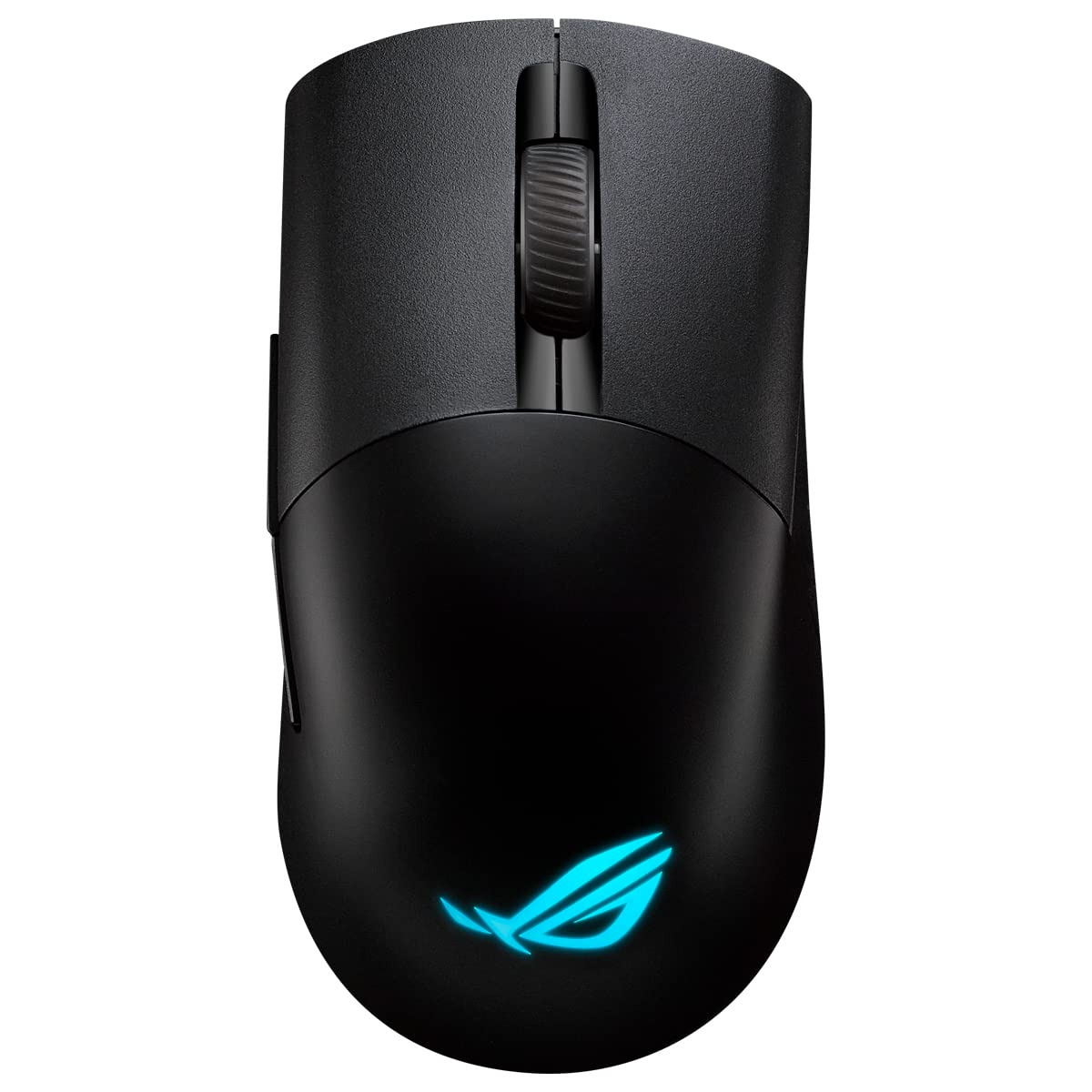
ASUS ROG Keris Wireless AimPoint RGB Gaming Mouse (Optical ROG AimPoint Sensor, 36,000 DPI, ROG Micro Switches, 2.4 GHz RF, Bluetooth , USB, 5X
Affiliate Disclosure: We may receive a small commission for purchases made through this link at no extra cost to you. This helps support our site. Thank you!
ASUS ROG Keris Wireless AimPoint Gaming Mouse, Tri-mode connectivity (2.4GHz RF, Bluetooth, Wired), 36000 DPI sensor, 5 programmable buttons, ROG
Affiliate Disclosure: We may receive a small commission for purchases made through this link at no extra cost to you. This helps support our site. Thank you!
Rog Keris Wireless Aimpoint Black Mouse - Gaming
Delivery $9.75
ASUS ROG Wireless AimPoint 36k Sensor Wireless Bluetooth Three-Mode Gaming Mouse 75g Lightweight
Free delivery
Asus ROG KERIS Wireless AimPoint Mouse - Black
Delivery between Mon – Thu $10
Asus ROG KERIS Wireless AimPoint Mouse - Black
Free delivery
Asus ROG KERIS Wireless AimPoint Mouse - Black
Free delivery
Asus ROG KERIS Wireless AimPoint Mouse - Black
Free delivery
ROG Keris Wireless AimPoint lightweight 75-gram wireless RGB gaming mouse
Delivery between 2–4 Sept $13.25
Asus ROG KERIS Wireless AimPoint Mouse - Black
Free delivery
originally posted on scan.co.uk
The performance is great, it feels so responsive especially once you've calibrated it to your mouse pad using the Armory Crate software, which is really good also. The included grip tape is really cool, genuinely makes it feel nicer to use. Battery life has been great, it lasts a full week with the LED on which is all I need. I think my favorite thing about it though is the repairability. They encourage you in the manual to take it apart, it's so much easier than my previous mouse (Roccat) to take apart and change the switches or the wheel encoder. Honestly Asus are killing it right now.
| Style | Mice&Mousepads |
| Purpose | Gaming |
| Device interface | RF Wireless + Bluetooth + USB Type-C |
| Movement detection technology | Optical |
| Scroll type | Wheel |
ASUS ROG Keris Wireless AimPoint RGB Gaming Mouse (Optical ROG AimPoint Sensor, 36,000 DPI, ROG Micro Switches, 2.4 GHz RF, Bluetooth , USB, 5X
Affiliate Disclosure: We may receive a small commission for purchases made through this link at no extra cost to you. This helps support our site. Thank you!
ASUS ROG Keris Wireless AimPoint Gaming Mouse, Tri-mode connectivity (2.4GHz RF, Bluetooth, Wired), 36000 DPI sensor, 5 programmable buttons, ROG
Affiliate Disclosure: We may receive a small commission for purchases made through this link at no extra cost to you. This helps support our site. Thank you!
Rog Keris Wireless Aimpoint Black Mouse - Gaming
Delivery $9.75
ASUS ROG Wireless AimPoint 36k Sensor Wireless Bluetooth Three-Mode Gaming Mouse 75g Lightweight
Free delivery
Asus ROG KERIS Wireless AimPoint Mouse - Black
Delivery between Mon – Thu $10
The performance is great, it feels so responsive especially once you've calibrated it to your mouse pad using the Armory Crate software, which is really good also. The included grip tape is really cool, genuinely makes it feel nicer to use. Battery life has been great, it lasts a full week with the LED on which is all I need. I think my favorite thing about it though is the repairability. They encourage you in the manual to take it apart, it's so much easier than my previous mouse (Roccat) to take apart and change the switches or the wheel encoder. Honestly Asus are killing it right now.
| Style | Mice&Mousepads |
| Purpose | Gaming |
| Device interface | RF Wireless + Bluetooth + USB Type-C |
| Movement detection technology | Optical |
| Scroll type | Wheel |

