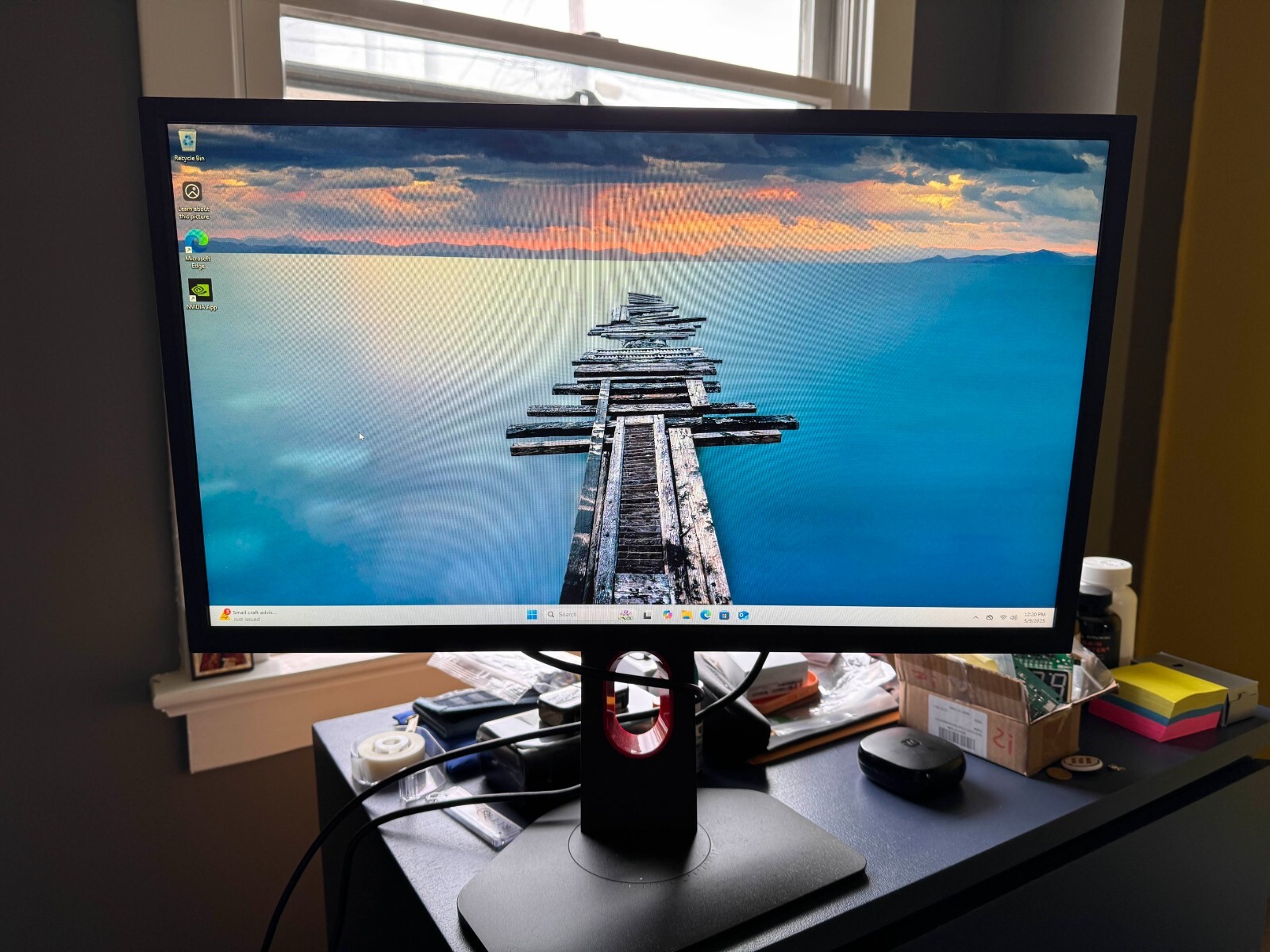
Native 240Hz Refresh Rate - Smoothness Experience Catch every detail of motion and enjoy the fluid gameplay by ZOWIE native 240Hz refresh rate monitor, which ensures a smooth view of fast-motion and dramatic transitions consistently at all time. (Please make sure the PC performance is up to par to fully activate 240Hz) Smaller Base – More Playing Space New base is designed to take up less space while maintaining the same stability. This allows gamers more space in their setup for in-game movements and allows them the flexibility to make adjustments and play comfortably. With height adjustment & free tilt, players are able to setup quickly and conveniently resulting in a more comfortable playing environment.
Native 240Hz Refresh Rate - Smoothness Experience Catch every detail of motion and enjoy the fluid gameplay by ZOWIE native 240Hz refresh rate monitor, which ensures a smooth view of fast-motion and dramatic transitions consistently at all time. (Please make sure the PC performance is up to par to fully activate 240Hz) Smaller Base – More Playing Space New base is designed to take up less space while maintaining the same stability. This allows gamers more space in their setup for in-game movements and allows them the flexibility to make adjustments and play comfortably. With height adjustment & free tilt, players are able to setup quickly and conveniently resulting in a more comfortable playing environment.
Native 240Hz Refresh Rate - Smoothness Experience Catch every detail of motion and enjoy the fluid gameplay by ZOWIE native 240Hz refresh rate monitor, which ensures a smooth view of fast-motion and dramatic transitions consistently at all time. (Please make sure the PC performance is up to par to fully activate 240Hz) Smaller Base – More Playing Space New base is designed to take up less space while maintaining the same stability. This allows gamers more space in their setup for in-game movements and allows them the flexibility to make adjustments and play comfortably. With height adjustment & free tilt, players are able to setup quickly and conveniently resulting in a more comfortable playing environment.
Native 240Hz Refresh Rate - Smoothness Experience Catch every detail of motion and enjoy the fluid gameplay by ZOWIE native 240Hz refresh rate monitor, which ensures a smooth view of fast-motion and dramatic transitions consistently at all time. (Please make sure the PC performance is up to par to fully activate 240Hz) Smaller Base – More Playing Space New base is designed to take up less space while maintaining the same stability. This allows gamers more space in their setup for in-game movements and allows them the flexibility to make adjustments and play comfortably. With height adjustment & free tilt, players are able to setup quickly and conveniently resulting in a more comfortable playing environment.
Last updated at 08/18/2026 13:24:34
BenQ ZOWIE 24.5" 240 Hz TN LCD Monitor - XL2546K
Delivery between 22–26 Aug $35.88
originally posted on bestbuy.com
The BenQ ZOWIE XL2546K is a top-tier esports gaming monitor that takes your gaming performance to new heights. With its 24.5" TN LED display and impressive 240Hz refresh rate, it offers fluid motion and incredible responsiveness. The addition of DyAc+ technology further enhances visual clarity during fast-paced gameplay. Designed with esports in mind, this monitor is a must-have for competitive gamers seeking the ultimate gaming advantage.
originally posted on bestbuy.ca
Sure it’s expensive, and for a TN panel, there are “better” offerings available. But this is meant for those who won’t compromise on one thing, and that is being able to click on heads. Consistently. 240Hz with Dyac+ to premium is some of the best visual clarity I have ever witnessed. I have used other high refresh rate monitors that are IPS upwards of 240hz and they just don’t compare in terms of motion clarity. Some IPS have their own ELMB setting but basically all of them comes with the brightness compromise, and they give you headaches, which basically makes it a second-rate feature. Zowie actually made the Dyac the primary feature of the monitor and doesn’t give me motion sickness/headaches that I usually get from other panels. However, this monitor shouldn’t ... MoreSure it’s expensive, and for a TN panel, there are “better” offerings available. But this is meant for those who won’t compromise on one thing, and that is being able to click on heads. Consistently. 240Hz with Dyac+ to premium is some of the best visual clarity I have ever witnessed. I have used other high refresh rate monitors that are IPS upwards of 240hz and they just don’t compare in terms of motion clarity. Some IPS have their own ELMB setting but basically all of them comes with the brightness compromise, and they give you headaches, which basically makes it a second-rate feature. Zowie actually made the Dyac the primary feature of the monitor and doesn’t give me motion sickness/headaches that I usually get from other panels. However, this monitor shouldn’t be a “main” monitor. It should be a secondary/gaming monitor for when you just want to grind out competitively. Go buy yourself an ultrawide or larger IPS high refresh rate for general gaming.
originally posted on bestbuy.com
A great monitor overall, definitely suitable for esports.2 downsides to keep in mind when buying:1) For a monitor this big (24.5"), if you sit close to the monitor then you might be uncomfortable noticing the very small individual pixels on the screen and might want to go for a higher resolution screen.2) The monitor is too expensive for its size, resolution and refresh rate, I've personally seen other cheaper options from popular brands with the same specs.However, I bought this monitor and kept for multiple reasons:1) I play Valorant mostly, and this monitor is perfect for the game, even used in VCT (Valorant esports), the monitor display can be adjusted to enhance visuals in Valorant and some other games too, you can find details on their website.2) The ... MoreA great monitor overall, definitely suitable for esports.2 downsides to keep in mind when buying:1) For a monitor this big (24.5"), if you sit close to the monitor then you might be uncomfortable noticing the very small individual pixels on the screen and might want to go for a higher resolution screen.2) The monitor is too expensive for its size, resolution and refresh rate, I've personally seen other cheaper options from popular brands with the same specs.However, I bought this monitor and kept for multiple reasons:1) I play Valorant mostly, and this monitor is perfect for the game, even used in VCT (Valorant esports), the monitor display can be adjusted to enhance visuals in Valorant and some other games too, you can find details on their website.2) The size of the monitor is perfect for 1st shooter games3) It comes with dyac+ technology, which supposedly reduces motion blur, and it also has black equalizing capability which can be tuned to your preference, basically reducing the large gap in brightness between the darkest and brightest spots on your screen, which helps in spotting things hiding in the dark.
| General | |
| Display Type | LED-backlit LCD monitor / TFT active matrix |
| Energy Class | Class F |
| Diagonal Size | 24.5" |
| Panel Type | TN |
BenQ ZOWIE 24.5" 240 Hz TN LCD Monitor - XL2546K
Delivery between 22–26 Aug $35.88
The BenQ ZOWIE XL2546K is a top-tier esports gaming monitor that takes your gaming performance to new heights. With its 24.5" TN LED display and impressive 240Hz refresh rate, it offers fluid motion and incredible responsiveness. The addition of DyAc+ technology further enhances visual clarity during fast-paced gameplay. Designed with esports in mind, this monitor is a must-have for competitive gamers seeking the ultimate gaming advantage.
Sure it’s expensive, and for a TN panel, there are “better” offerings available. But this is meant for those who won’t compromise on one thing, and that is being able to click on heads. Consistently. 240Hz with Dyac+ to premium is some of the best visual clarity I have ever witnessed. I have used other high refresh rate monitors that are IPS upwards of 240hz and they just don’t compare in terms of motion clarity. Some IPS have their own ELMB setting but basically all of them comes with the brightness compromise, and they give you headaches, which basically makes it a second-rate feature. Zowie actually made the Dyac the primary feature of the monitor and doesn’t give me motion sickness/headaches that I usually get from other panels. However, this monitor shouldn’t ... MoreSure it’s expensive, and for a TN panel, there are “better” offerings available. But this is meant for those who won’t compromise on one thing, and that is being able to click on heads. Consistently. 240Hz with Dyac+ to premium is some of the best visual clarity I have ever witnessed. I have used other high refresh rate monitors that are IPS upwards of 240hz and they just don’t compare in terms of motion clarity. Some IPS have their own ELMB setting but basically all of them comes with the brightness compromise, and they give you headaches, which basically makes it a second-rate feature. Zowie actually made the Dyac the primary feature of the monitor and doesn’t give me motion sickness/headaches that I usually get from other panels. However, this monitor shouldn’t be a “main” monitor. It should be a secondary/gaming monitor for when you just want to grind out competitively. Go buy yourself an ultrawide or larger IPS high refresh rate for general gaming.
A great monitor overall, definitely suitable for esports.2 downsides to keep in mind when buying:1) For a monitor this big (24.5"), if you sit close to the monitor then you might be uncomfortable noticing the very small individual pixels on the screen and might want to go for a higher resolution screen.2) The monitor is too expensive for its size, resolution and refresh rate, I've personally seen other cheaper options from popular brands with the same specs.However, I bought this monitor and kept for multiple reasons:1) I play Valorant mostly, and this monitor is perfect for the game, even used in VCT (Valorant esports), the monitor display can be adjusted to enhance visuals in Valorant and some other games too, you can find details on their website.2) The ... MoreA great monitor overall, definitely suitable for esports.2 downsides to keep in mind when buying:1) For a monitor this big (24.5"), if you sit close to the monitor then you might be uncomfortable noticing the very small individual pixels on the screen and might want to go for a higher resolution screen.2) The monitor is too expensive for its size, resolution and refresh rate, I've personally seen other cheaper options from popular brands with the same specs.However, I bought this monitor and kept for multiple reasons:1) I play Valorant mostly, and this monitor is perfect for the game, even used in VCT (Valorant esports), the monitor display can be adjusted to enhance visuals in Valorant and some other games too, you can find details on their website.2) The size of the monitor is perfect for 1st shooter games3) It comes with dyac+ technology, which supposedly reduces motion blur, and it also has black equalizing capability which can be tuned to your preference, basically reducing the large gap in brightness between the darkest and brightest spots on your screen, which helps in spotting things hiding in the dark.
This is a great gaming monitor, the 240hz makes first person shooters a game changer! It's the smoothest screen I've seen, and I honestly love it, however, one dead pixel at the top center of the screen is juuuuuust enough to be annoying coming from a monitor of this price point and spec. Hopefully mine was just a fluke, and if you get this, it doesn't have any. Once gaming you pretty much forget it's there, hopefully no more decide to unalive themselves. Great gaming monitor otherwise!
If that acer 390hz XV252Q would come to new zealand I would get that instead but:I actually noticed a responsiveness boost coming from a cheap acer 240hz.... Placebo? and dyac is really good, once you turn it on you can't go back to having it offI've used it for maybe 25 hours already and I don't think the strobing is causing any additional eye strain
Had a 144hz ACER TN Panel monitor from 2018, decided to get this as it seemed intriguing.Worst decision I’ve ever made, I had the monitor plugged in for all of 30 minutes, terrible picture quality, it looks washed out and worn down, reminded me of a school library computer screen. Truly disappointing, the features as far as the base & tilt were great although no matter what I did in the settings the monitor looked TERRIBLE.Exchanged and went with a 165HZ IPS Acer and it’s far superior to my previous as well as this load of junk.SAVE YOUR MONEY & TIME
240hz with DyAc is a charm. If you're into competitive FPS shooters, this is a top contender. That being said this is a TN panel so be aware of bad viewing angles and terrible color rendition. If you don't color grade, do any video/photo editing, etc. then this is not a problem.However, if you do need accurate colors and enjoy consuming media on your PC, then I'd opt for nano-IPS monitors (360hz is a thing now as well) if you can budget for it ($700 for the Asus PG59QN at time of writing).All in all, this is the perfect monitor for those who play CS:GO and Valorant.
If you can tell the difference between 240Hz and 360Hz, you're a space alien. This monitor is INCREDIBLE. I use it for competitive gaming (Rainbow6, etc.), I use it for high-intensity graphics rendering: I'm an avid gamer, but I'm also a professional meteorologist; weather modeling requires a sharp monitor -- it's similar to CAD. Gamer, engineer or grafix artist, prepare for the most awesome rendering experience of your life. I've got mine hooked up to a Radeon RX 6900 XT with an AMD Ryzen 9 5950X 16-Core Processor (+16 virtual cores, of course), 64GB RAM... but all of that doesn't matter!!! I don't care if you've got an i3 with a GeForce GTX 780 Nvidea Kepler from 2012 or a room full of Cray Supercomputers at NASA: If your graphics card cannot render more than ... MoreIf you can tell the difference between 240Hz and 360Hz, you're a space alien. This monitor is INCREDIBLE. I use it for competitive gaming (Rainbow6, etc.), I use it for high-intensity graphics rendering: I'm an avid gamer, but I'm also a professional meteorologist; weather modeling requires a sharp monitor -- it's similar to CAD. Gamer, engineer or grafix artist, prepare for the most awesome rendering experience of your life. I've got mine hooked up to a Radeon RX 6900 XT with an AMD Ryzen 9 5950X 16-Core Processor (+16 virtual cores, of course), 64GB RAM... but all of that doesn't matter!!! I don't care if you've got an i3 with a GeForce GTX 780 Nvidea Kepler from 2012 or a room full of Cray Supercomputers at NASA: If your graphics card cannot render more than 240Hz, buying a faster monitor is a ridiculous thing to do. Also, the lag on this monitor is literally unnoticeable. This monitor blows away the competition. And the PRICE? B&H do not fleece their customers; this is a great price. You will not find a better monitor, this is the official one for eSports as of my typing this and, if you've got a lot of windows that let light into the room, it even comes with glare shields (those aren't speakers). Combine all of this with B&H's satisfaction return policy, free shipping and award-winning service/support, and you can't go wrong. B&H have been my go-to gang since 1997; you just can't get a better monitor from a better group of people!
thick bezelsinverse ghosting only noticeable in extreme scenarios like scrolling white text on black background.really nice to have as a second monitor for pvp stuffi don't use the blinkersconsidering the length they went making this thing as ergonomic as possible, plugging in monitor cables is just as, if not more annoying than with other monitors.you'll need a good cpu to make use of the high refresh (5600x or better)
I have still been on a CRT until recently. Had one and the shops just couldnt repair it from no skill. And they become recently more rare. So this time I couldnt hunt one down to replace my last monitor I had when this one started to have problems, from a 21" crt that went from 1600x1280. I never switched because I seen the LCD's that came out at the time when they started to first come out and the ghosting just made it were I play games and i like to be competitive and there was no way I could play the games. I was really feeling bad when I went out to try to find anything, I had spent some times before trying to find a led/lcd monitor that wouldnt have ghosting or motion blur on it. Every time, I always ended up seeing that there was basically a trail behind them. ... MoreI have still been on a CRT until recently. Had one and the shops just couldnt repair it from no skill. And they become recently more rare. So this time I couldnt hunt one down to replace my last monitor I had when this one started to have problems, from a 21" crt that went from 1600x1280. I never switched because I seen the LCD's that came out at the time when they started to first come out and the ghosting just made it were I play games and i like to be competitive and there was no way I could play the games. I was really feeling bad when I went out to try to find anything, I had spent some times before trying to find a led/lcd monitor that wouldnt have ghosting or motion blur on it. Every time, I always ended up seeing that there was basically a trail behind them. plus some stuff about input lag, but after reading up even crts do have some input lag. after reading up on recent lcd's, they have equal to or maybe even beter, or maybe a tiny bit like 1ms worse input lag. After watching some videos of this monitors motion blur, or what? motion blur, i decided that this monitor would be the one to get to do the best I could get to a crt. ive tried lcd when ive borrrowed laptops and i have an older one but nice, with an lcd screen but switching between it and the crt i had, i would have a headache from the lcd and notice the ghosting between when i was switching from the lcd to the crt. After seeing the videos and then I got this, its as good as the videos show. There is practically no ghosting. I don't notice anthing. When I scroll a page of text up and down the screen, the text stays solid. and as far as eye strain from what some people have said about other monitors motion blur, they said this one wouldnt do it, give you eye strain. and ive not noticed any eye strain. And ive played a through the weekend at 2-3 hours straight. its as good as i can get, and when its late at night i just turn the blue light down and brightness and it doesnt bother me to leave it on to watch a movie before i go to bed, after turning it down enough it looks fine. maybe the colors arent as solid as they were on the crt but its not really a bad problem and i like the setup and wider size of the screen compared to my old crt. this one has a bigger size. best as ive seen compared to a crt and im a crt person who couldnt switch from them. i seen that theyd came out with this new tech and i checked it out and,im glad they did it when they did, i am fine with this from the switch. if you want as close to crt, this is the best i have, not a lto experienced with many LCD's but ive been on crts, this is as good as ive seen and i am.. impressed with it.
| General | |
| Display Type | LED-backlit LCD monitor / TFT active matrix |
| Energy Class | Class F |
| Diagonal Size | 24.5" |
| Panel Type | TN |

