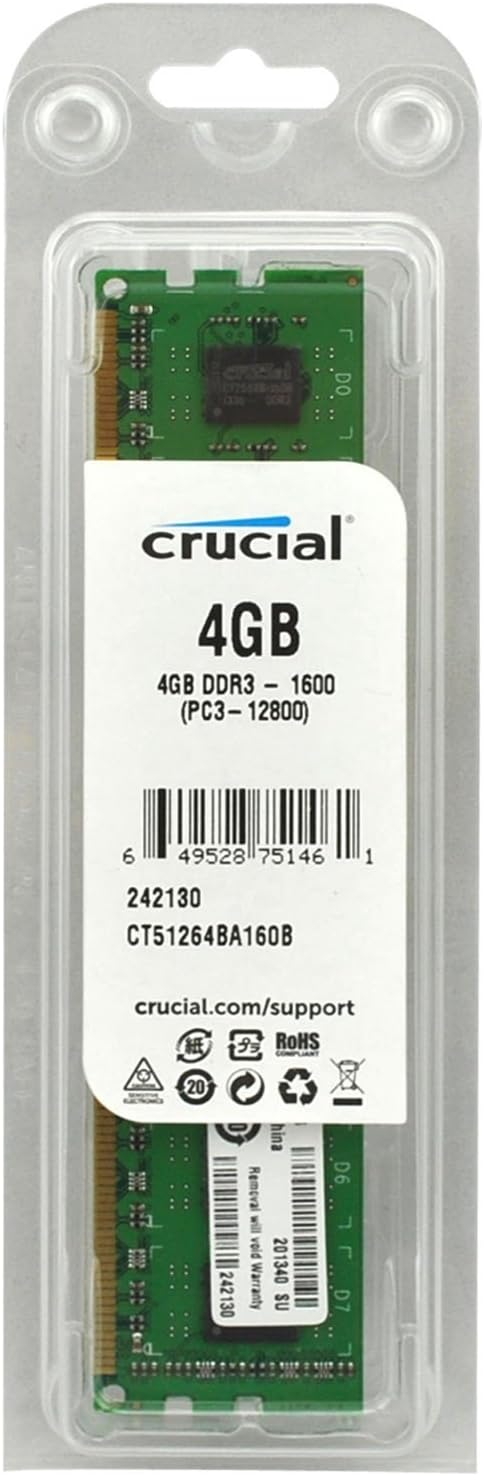
DDR3L 240-pin DIMM Desktop modules that operate at speeds up to 1600 MT/s and have a CL11 latency. It is dual voltage and can operate at 1.35V or 1.5V. It is Unbuffered and is non-ECC. It conforms to the industry standard UDIMM layout of 240 pins and is compatible with computers that take DDR3 UDIMM memory. A dual inline memory module (DIMM) consists of a number of memory components (usually black) that are attached to a printed circuit board (usually green). The gold pins on the bottom of the DIMM provide a connection between the module and a socket on a larger printed circuit board. The pins on the front and back of a DIMM are not connected to each other. Each 240-pin DIMM provides a 64-bit data path (72-bit for ECC or registered or Fully Buffered modules). To use DDR3 memory, your system motherboard must have 240-pin DIMM slots and a DDR3-enabled chipset. This is because a DDR3 SDRAM DIMM will not fit into a standard DDR2 DIMM socket or a DDR DIMM socket. The number of black components on a 240-pin DIMM can vary, but it always has 120 pins on the front and 120 pins on the back, for a total of 240. 240-pin DIMMs are approximately 5.25 inches long and 1.18 inches high, though the heights can vary. While 240-pin DDR3 DIMMS, 240-pin DDR2 DIMMs, 184-pin DDR DIMMs, and 168-pin DIMMs are approximately the same size, 240-pin DIMMs and 184-pin DIMMs have only one notch within the row of pins.
DDR3L 240-pin DIMM Desktop modules that operate at speeds up to 1600 MT/s and have a CL11 latency. It is dual voltage and can operate at 1.35V or 1.5V. It is Unbuffered and is non-ECC. It conforms to the industry standard UDIMM layout of 240 pins and is compatible with computers that take DDR3 UDIMM memory. A dual inline memory module (DIMM) consists of a number of memory components (usually black) that are attached to a printed circuit board (usually green). The gold pins on the bottom of the DIMM provide a connection between the module and a socket on a larger printed circuit board. The pins on the front and back of a DIMM are not connected to each other. Each 240-pin DIMM provides a 64-bit data path (72-bit for ECC or registered or Fully Buffered modules). To use DDR3 memory, your system motherboard must have 240-pin DIMM slots and a DDR3-enabled chipset. This is because a DDR3 SDRAM DIMM will not fit into a standard DDR2 DIMM socket or a DDR DIMM socket. The number of black components on a 240-pin DIMM can vary, but it always has 120 pins on the front and 120 pins on the back, for a total of 240. 240-pin DIMMs are approximately 5.25 inches long and 1.18 inches high, though the heights can vary. While 240-pin DDR3 DIMMS, 240-pin DDR2 DIMMs, 184-pin DDR DIMMs, and 168-pin DIMMs are approximately the same size, 240-pin DIMMs and 184-pin DIMMs have only one notch within the row of pins.
DDR3L 240-pin DIMM Desktop modules that operate at speeds up to 1600 MT/s and have a CL11 latency. It is dual voltage and can operate at 1.35V or 1.5V. It is Unbuffered and is non-ECC. It conforms to the industry standard UDIMM layout of 240 pins and is compatible with computers that take DDR3 UDIMM memory. A dual inline memory module (DIMM) consists of a number of memory components (usually black) that are attached to a printed circuit board (usually green). The gold pins on the bottom of the DIMM provide a connection between the module and a socket on a larger printed circuit board. The pins on the front and back of a DIMM are not connected to each other. Each 240-pin DIMM provides a 64-bit data path (72-bit for ECC or registered or Fully Buffered modules). To use DDR3 memory, your system motherboard must have 240-pin DIMM slots and a DDR3-enabled chipset. This is because a DDR3 SDRAM DIMM will not fit into a standard DDR2 DIMM socket or a DDR DIMM socket. The number of black components on a 240-pin DIMM can vary, but it always has 120 pins on the front and 120 pins on the back, for a total of 240. 240-pin DIMMs are approximately 5.25 inches long and 1.18 inches high, though the heights can vary. While 240-pin DDR3 DIMMS, 240-pin DDR2 DIMMs, 184-pin DDR DIMMs, and 168-pin DIMMs are approximately the same size, 240-pin DIMMs and 184-pin DIMMs have only one notch within the row of pins.
DDR3L 240-pin DIMM Desktop modules that operate at speeds up to 1600 MT/s and have a CL11 latency. It is dual voltage and can operate at 1.35V or 1.5V. It is Unbuffered and is non-ECC. It conforms to the industry standard UDIMM layout of 240 pins and is compatible with computers that take DDR3 UDIMM memory. A dual inline memory module (DIMM) consists of a number of memory components (usually black) that are attached to a printed circuit board (usually green). The gold pins on the bottom of the DIMM provide a connection between the module and a socket on a larger printed circuit board. The pins on the front and back of a DIMM are not connected to each other. Each 240-pin DIMM provides a 64-bit data path (72-bit for ECC or registered or Fully Buffered modules). To use DDR3 memory, your system motherboard must have 240-pin DIMM slots and a DDR3-enabled chipset. This is because a DDR3 SDRAM DIMM will not fit into a standard DDR2 DIMM socket or a DDR DIMM socket. The number of black components on a 240-pin DIMM can vary, but it always has 120 pins on the front and 120 pins on the back, for a total of 240. 240-pin DIMMs are approximately 5.25 inches long and 1.18 inches high, though the heights can vary. While 240-pin DDR3 DIMMS, 240-pin DDR2 DIMMs, 184-pin DDR DIMMs, and 168-pin DIMMs are approximately the same size, 240-pin DIMMs and 184-pin DIMMs have only one notch within the row of pins.
Last updated at 08/21/2026 10:16:57
Crucial CT102464BD160B 8GB (1x8GB) DDR3L UDIMM 1600MHz CL11 1.35V Dual Ranked Single Stick Desktop PC Memory RAM
Affiliate Disclosure: We may receive a small commission for purchases made through this link at no extra cost to you. This helps support our site. Thank you!
Crucial 8GB (1 x 8GB) PC3-12800 (DDR3-1600) Memory (CT102464BD160B)
Affiliate Disclosure: We may receive a small commission for purchases made through this link at no extra cost to you. This helps support our site. Thank you!
Crucial Ct102464bd160b 8gb (1x 8gb) Ddr3l 1600mhz Memory
Delivery $8.95
Affiliate Disclosure: We may receive a small commission for purchases made through this link at no extra cost to you. This helps support our site. Thank you!
Crucial DDR3 8GB RAM PC3-12800 (DDR3-1600) Memory CT102464BD160B
Delivery between 25 Aug – 2 Sept $10.67
Crucial 8 Gb, 240 Pin Dimm, Ddr3 Pc3 12800,
Delivery between 27–30 Aug $29
8GB DDR3L 1600 MHz UDIMM Module Lenovo Compatible
Delivery between Tue – Thu $12.90
8GB DDR3L 1600 MHz UDIMM Module HP Compatible
Delivery between Tue – Thu $12.90
8GB DDR3L 1600 MHz UDIMM Module Asus Compatible
Delivery between Tue – Thu $12.90
8GB DDR3L 1600 MHz UDIMM Module Acer Compatible
Delivery between Tue – Thu $12.90
8GB DDR3L 1600 MHz UDIMM Module Gigabyte Compatible
Delivery between Tue – Thu $12.90
originally posted on neweggbusiness.com
I had some extra slots on the M.B. of a Lenovo Thinkserver TS-140 server that I am setting up to run V.M.'s. The memory in the machine was CL11 and 1.5 volt ECC unbuffered DIMM's from Samsung and Hynix. The BIOS on this server does not allow any adjustment of either voltage or latency so it can be finicky about the memory used. I picked these Crucial modules because they were a very good price for server memory and I have good success with Crucial in the past. I went to the Crucial website and these modules were marked as compatible. I was somewhat concerned that these modules would not be compatible with the stock 1.5 volt CL 11 modules since these were 1.35 volts CL11 modules. Just to ensure the modules worked by themselves, I removed the stock modules and put ... MoreI had some extra slots on the M.B. of a Lenovo Thinkserver TS-140 server that I am setting up to run V.M.'s. The memory in the machine was CL11 and 1.5 volt ECC unbuffered DIMM's from Samsung and Hynix. The BIOS on this server does not allow any adjustment of either voltage or latency so it can be finicky about the memory used. I picked these Crucial modules because they were a very good price for server memory and I have good success with Crucial in the past. I went to the Crucial website and these modules were marked as compatible. I was somewhat concerned that these modules would not be compatible with the stock 1.5 volt CL 11 modules since these were 1.35 volts CL11 modules. Just to ensure the modules worked by themselves, I removed the stock modules and put these Crucial DIMM's in the #2 & #4 slots then powered up the server. The server loaded the BIOS and booted the OS with no problems. Both modules were recognized and had no errors. After turning off the power and unplugging the server, I installed two 4GB Samsung 1.5v modules in the #1 & #3 slots then powered up the server. Again, it loaded the BIOS and booted the Win7 OS with no problems. I re-ran the WEI test and the memory speed score increased from 7.3 to 7.6 for the new modules. An increase that I did not expect but is probably from the lower voltage modules. The modules have been running in the server 24/7 for about a month now and are working fine with no indication of failure. I am fully satisfied with these Crucial ECC UDIMM's. The price was right and the performance increase was appreciated. I recommend them.
originally posted on crucial.com
I knew that changing the slow mechanical hard drive in my Toshiba Satellite laptop would speed things up considerably which it did. Before it took 30 minutes for drive activity to fall below 100% but now the I5 processor has a better match and all background activity falls to normal levels within a couple of minutes from bootup time. I had used Crucial in a previous desktop build but the thing that sold Crucial to me for changing the drive in my laptop is that they had an extremely convenient page that showed the drives (and memory) that were compatible with my particular laptop as well as free software for cloning the hard drive. I wound up buying faster memory from Crucial as well as an SSD. I had two issues worth reporting. I had issues with the cloning software. ... MoreI knew that changing the slow mechanical hard drive in my Toshiba Satellite laptop would speed things up considerably which it did. Before it took 30 minutes for drive activity to fall below 100% but now the I5 processor has a better match and all background activity falls to normal levels within a couple of minutes from bootup time. I had used Crucial in a previous desktop build but the thing that sold Crucial to me for changing the drive in my laptop is that they had an extremely convenient page that showed the drives (and memory) that were compatible with my particular laptop as well as free software for cloning the hard drive. I wound up buying faster memory from Crucial as well as an SSD. I had two issues worth reporting. I had issues with the cloning software. I could not get it to work under Windows 10. I finally got it to work by making a bootable copy of the software on a thumb drive and booting up and running from that. Once I had figured this out, it was able to clone the larger hard drive to the slightly smaller Crucial SSD with no problems. Once I had installed the SSD, the laptop would boot and run for a while and then lock up. Looking online I saw where others reported the same issue and that removing the cloning software fixed the issue in some cases. I removed the cloning software from Windows and haven't had a hiccup since. The other issue was having to look online for instructions on how to change the SSD and memory in my laptop which turned out not to be completely clear or correct on some items but this is not a negative reflection on Crucial in any way. After installing the Crucial SSD and faster memory my laptop is much more pleasant to use.
originally posted on newegg.com
I have been upgrading my eight year old HP Pavilion desktop PC to play some of the newer games, so a memory expansion was inevitable. The specs for the motherboard showed that it uses DDR3 (1.5V) memory, so it was with some anxiety that I purchased and installed these DDR3L (1.35V) memory components, but they appear to work fine. The system recognized the added memory, and the Windows Experience score for memory is the same before and after the expansion, so I am very pleased with the upgrade. The motherboard has four memory slots arranged in two banks. The original configuration had 4 GB + 2 GB in each bank (12 GB total). I replaced the 2 GB with 8 GB in each bank, so now the total is 24 GB. Unfortunately I now have two(2) 2 GB memory sticks left over with no place ... MoreI have been upgrading my eight year old HP Pavilion desktop PC to play some of the newer games, so a memory expansion was inevitable. The specs for the motherboard showed that it uses DDR3 (1.5V) memory, so it was with some anxiety that I purchased and installed these DDR3L (1.35V) memory components, but they appear to work fine. The system recognized the added memory, and the Windows Experience score for memory is the same before and after the expansion, so I am very pleased with the upgrade. The motherboard has four memory slots arranged in two banks. The original configuration had 4 GB + 2 GB in each bank (12 GB total). I replaced the 2 GB with 8 GB in each bank, so now the total is 24 GB. Unfortunately I now have two(2) 2 GB memory sticks left over with no place to use them.
| General | |
| Capacity | 8 GB |
| Upgrade Type | Generic |
| Memory | |
| Type | DRAM memory module |
Crucial CT102464BD160B 8GB (1x8GB) DDR3L UDIMM 1600MHz CL11 1.35V Dual Ranked Single Stick Desktop PC Memory RAM
Affiliate Disclosure: We may receive a small commission for purchases made through this link at no extra cost to you. This helps support our site. Thank you!
Crucial 8GB (1 x 8GB) PC3-12800 (DDR3-1600) Memory (CT102464BD160B)
Affiliate Disclosure: We may receive a small commission for purchases made through this link at no extra cost to you. This helps support our site. Thank you!
Crucial Ct102464bd160b 8gb (1x 8gb) Ddr3l 1600mhz Memory
Delivery $8.95
Affiliate Disclosure: We may receive a small commission for purchases made through this link at no extra cost to you. This helps support our site. Thank you!
Crucial DDR3 8GB RAM PC3-12800 (DDR3-1600) Memory CT102464BD160B
Delivery between 25 Aug – 2 Sept $10.67
Crucial 8 Gb, 240 Pin Dimm, Ddr3 Pc3 12800,
Delivery between 27–30 Aug $29
I had some extra slots on the M.B. of a Lenovo Thinkserver TS-140 server that I am setting up to run V.M.'s. The memory in the machine was CL11 and 1.5 volt ECC unbuffered DIMM's from Samsung and Hynix. The BIOS on this server does not allow any adjustment of either voltage or latency so it can be finicky about the memory used. I picked these Crucial modules because they were a very good price for server memory and I have good success with Crucial in the past. I went to the Crucial website and these modules were marked as compatible. I was somewhat concerned that these modules would not be compatible with the stock 1.5 volt CL 11 modules since these were 1.35 volts CL11 modules. Just to ensure the modules worked by themselves, I removed the stock modules and put ... MoreI had some extra slots on the M.B. of a Lenovo Thinkserver TS-140 server that I am setting up to run V.M.'s. The memory in the machine was CL11 and 1.5 volt ECC unbuffered DIMM's from Samsung and Hynix. The BIOS on this server does not allow any adjustment of either voltage or latency so it can be finicky about the memory used. I picked these Crucial modules because they were a very good price for server memory and I have good success with Crucial in the past. I went to the Crucial website and these modules were marked as compatible. I was somewhat concerned that these modules would not be compatible with the stock 1.5 volt CL 11 modules since these were 1.35 volts CL11 modules. Just to ensure the modules worked by themselves, I removed the stock modules and put these Crucial DIMM's in the #2 & #4 slots then powered up the server. The server loaded the BIOS and booted the OS with no problems. Both modules were recognized and had no errors. After turning off the power and unplugging the server, I installed two 4GB Samsung 1.5v modules in the #1 & #3 slots then powered up the server. Again, it loaded the BIOS and booted the Win7 OS with no problems. I re-ran the WEI test and the memory speed score increased from 7.3 to 7.6 for the new modules. An increase that I did not expect but is probably from the lower voltage modules. The modules have been running in the server 24/7 for about a month now and are working fine with no indication of failure. I am fully satisfied with these Crucial ECC UDIMM's. The price was right and the performance increase was appreciated. I recommend them.
I knew that changing the slow mechanical hard drive in my Toshiba Satellite laptop would speed things up considerably which it did. Before it took 30 minutes for drive activity to fall below 100% but now the I5 processor has a better match and all background activity falls to normal levels within a couple of minutes from bootup time. I had used Crucial in a previous desktop build but the thing that sold Crucial to me for changing the drive in my laptop is that they had an extremely convenient page that showed the drives (and memory) that were compatible with my particular laptop as well as free software for cloning the hard drive. I wound up buying faster memory from Crucial as well as an SSD. I had two issues worth reporting. I had issues with the cloning software. ... MoreI knew that changing the slow mechanical hard drive in my Toshiba Satellite laptop would speed things up considerably which it did. Before it took 30 minutes for drive activity to fall below 100% but now the I5 processor has a better match and all background activity falls to normal levels within a couple of minutes from bootup time. I had used Crucial in a previous desktop build but the thing that sold Crucial to me for changing the drive in my laptop is that they had an extremely convenient page that showed the drives (and memory) that were compatible with my particular laptop as well as free software for cloning the hard drive. I wound up buying faster memory from Crucial as well as an SSD. I had two issues worth reporting. I had issues with the cloning software. I could not get it to work under Windows 10. I finally got it to work by making a bootable copy of the software on a thumb drive and booting up and running from that. Once I had figured this out, it was able to clone the larger hard drive to the slightly smaller Crucial SSD with no problems. Once I had installed the SSD, the laptop would boot and run for a while and then lock up. Looking online I saw where others reported the same issue and that removing the cloning software fixed the issue in some cases. I removed the cloning software from Windows and haven't had a hiccup since. The other issue was having to look online for instructions on how to change the SSD and memory in my laptop which turned out not to be completely clear or correct on some items but this is not a negative reflection on Crucial in any way. After installing the Crucial SSD and faster memory my laptop is much more pleasant to use.
I have been upgrading my eight year old HP Pavilion desktop PC to play some of the newer games, so a memory expansion was inevitable. The specs for the motherboard showed that it uses DDR3 (1.5V) memory, so it was with some anxiety that I purchased and installed these DDR3L (1.35V) memory components, but they appear to work fine. The system recognized the added memory, and the Windows Experience score for memory is the same before and after the expansion, so I am very pleased with the upgrade. The motherboard has four memory slots arranged in two banks. The original configuration had 4 GB + 2 GB in each bank (12 GB total). I replaced the 2 GB with 8 GB in each bank, so now the total is 24 GB. Unfortunately I now have two(2) 2 GB memory sticks left over with no place ... MoreI have been upgrading my eight year old HP Pavilion desktop PC to play some of the newer games, so a memory expansion was inevitable. The specs for the motherboard showed that it uses DDR3 (1.5V) memory, so it was with some anxiety that I purchased and installed these DDR3L (1.35V) memory components, but they appear to work fine. The system recognized the added memory, and the Windows Experience score for memory is the same before and after the expansion, so I am very pleased with the upgrade. The motherboard has four memory slots arranged in two banks. The original configuration had 4 GB + 2 GB in each bank (12 GB total). I replaced the 2 GB with 8 GB in each bank, so now the total is 24 GB. Unfortunately I now have two(2) 2 GB memory sticks left over with no place to use them.
Crucial is the highest quality memory on the market. Memory upgrades are great to speed up your computer allowing it handle more tasks or perform more complex heavier processing. I use it for intense photo processing. Easy install, but you must be careful when snapping product into memory slot. It takes a little force to seat properly. Align memory stick over slot with slot locking tabs out fully. I use my thumbs on each end of the stick to press down firmly while using my index finger to gently help the locking tabs snap into place. First make sure the notch on the stick connector edge is aligned with the little partition in the slot. Be very careful not to allow the memory stick to flip over sideways as you press it into the slot. The memory slot can be broken if ... MoreCrucial is the highest quality memory on the market. Memory upgrades are great to speed up your computer allowing it handle more tasks or perform more complex heavier processing. I use it for intense photo processing. Easy install, but you must be careful when snapping product into memory slot. It takes a little force to seat properly. Align memory stick over slot with slot locking tabs out fully. I use my thumbs on each end of the stick to press down firmly while using my index finger to gently help the locking tabs snap into place. First make sure the notch on the stick connector edge is aligned with the little partition in the slot. Be very careful not to allow the memory stick to flip over sideways as you press it into the slot. The memory slot can be broken if this happens under force. I find it easiest to install these with the computer laying flat on the table so that you are pushing down to install the memory stick. (Lay computer towers on there side in other words). If you try to do this on a tower while it is standing up, it will probably fall over. Simple upgrade when done properly! (I am a retired computer repair shop owner).
My RAM came in on time and unharmed, but reading reviews from other Crucial products has brought about suspicions of Chinese interception or imposure upon the exports, which is strange since my draw in the lot worked out so well. I say techromancy because this RAM brought an old Dell Optiplex 780 back from the dead, and now it runs beautifully in all of it's DDR3 glory. Games run well (Light games, of course, I'm rocking a Core2 CPU), work programs run well, my order performs within expectations as I have run the benchmarks, it's good! Techromancy, I say, TECHROMANCY~. If you have an old computer kicking around, or want to kick around an old computer, Crucial has the RAM to snuff as long as they can get the product to you! Very impressed!
In this modules Micron/Crucial demonstrates its impenetrable reputation of highest quality components. Comparing with many other brands, these modules offer widest tolerances, and honestly tuned SPD profile. In other words, you can put them into the most picky hardware and just let it go. No tweaking, interchanging, or load-testing needed. They just work out of the box anywhere. These are low voltage modules suitable for low power low-heat applications, which also extends module's life. On top of that you receive life-time warranty. Only two complaints can be addressed to marketing division: Low-voltage feature should be written in BIG letters for users to see the difference, and better describes in whitepaper. Memory geometry given on the website seems incorrect. ... MoreIn this modules Micron/Crucial demonstrates its impenetrable reputation of highest quality components. Comparing with many other brands, these modules offer widest tolerances, and honestly tuned SPD profile. In other words, you can put them into the most picky hardware and just let it go. No tweaking, interchanging, or load-testing needed. They just work out of the box anywhere. These are low voltage modules suitable for low power low-heat applications, which also extends module's life. On top of that you receive life-time warranty. Only two complaints can be addressed to marketing division: Low-voltage feature should be written in BIG letters for users to see the difference, and better describes in whitepaper. Memory geometry given on the website seems incorrect. These are 16-chip 8Gb modules, which can not be 1024Mib x 64 (suitable for 8-chip modules).
Installed the RAM, computer no longer will boot. Kept saying the PC was overclocked and to reduce frequency. Dropped RAM clock from 1600 to 1333, no change same message. Then notice that RAM check during post only shows 7gb instead of 8... uh oh. Pull the stick, replace with the old RAM and... starts to boot, dont get the overclock msg, but the system keeps going to a repair screen asking to choose my keyboard layout, except i can't select anything; wired or wireless keyboard and mouse do not respond in any way. So now my media PC is kaput from RAM. To say that I'm unhappy is a mild understatement, a stick of RAM broke my PC...
I have a G41C-GS R2.0 motherboard, ASRock's new LGA-775 model geared for overclocking and that accepts either DDR2 or DDR3 memory. It is very picky about which DDR3 memory can be used, even after updating the BIOS to the latest release. It can only take low density memory strips (16 memory chips on each strip: 8 front, 8 back), and low density DDR3 memory is harder to find these days. I returned a dual channel 8GB kit from another company because the PC wouldn't start up at all (it was listed as compatible according to a PDF list I found on a third-party website). Based on Crucial's promise of guaranteed compatibility, I tried this DDR3L-1600 UDIMM they recommended for my board. Worked first try.I'm using an Intel Core2 Quad Q9650 CPU (3GHz, 1333MHz FSB) and ... MoreI have a G41C-GS R2.0 motherboard, ASRock's new LGA-775 model geared for overclocking and that accepts either DDR2 or DDR3 memory. It is very picky about which DDR3 memory can be used, even after updating the BIOS to the latest release. It can only take low density memory strips (16 memory chips on each strip: 8 front, 8 back), and low density DDR3 memory is harder to find these days. I returned a dual channel 8GB kit from another company because the PC wouldn't start up at all (it was listed as compatible according to a PDF list I found on a third-party website). Based on Crucial's promise of guaranteed compatibility, I tried this DDR3L-1600 UDIMM they recommended for my board. Worked first try.I'm using an Intel Core2 Quad Q9650 CPU (3GHz, 1333MHz FSB) and running Windows 7 Home Premium (64-bit). When I use the board's default FSB jumper setting (pins 1-2, or non-1333), memory registers as 400MHz (DDR3_800). When I set the FSB jumper to 1333 (pins 2-3) and allow BIOS to set board speed automatically, the memory registers as 500MHz (DDR3_1000). On both occasions the PC boots up normally. With the FSB jumper set to 1333 and manually changing BIOS to 667MHz (DDR3_1333), the PC instantly shuts off the moment I save BIOS settings. Thereafter BIOS will not post until after clearing CMOS. I had hoped this 1600MHz memory would easily run at 1333 on my board, but DDR3_1000 will do fine. Maybe manually adjusting DRAM settings is necessary. A poster on another site stated he tweaked his board manually to 1066 using another brand of RAM. ASRock's website for the motherboard lists only one compatible 4GB 1333 memory strip, but I want high quality memory that will reliably last a lifetime. The Windows Experience Index gives a subscore of 7.3 for Processor and Memory (RAM) components. It's the highest score in the list over graphics and harddrive. It's fast and I'm happy.
the early 2010s saw business PCs introduce 1/2/4GB DDR3 rams, many of those computers are still competent to do the job. However modern software, especially operating systems, web browsers and email managers consume so much memory, more than the factory memory delivered on those PCs. this is a perfect upgrade that works for many of them. Just keep in mind you need to check if the RAM stick is compatible with the MB; Business PCs are very limited with compatible upgrades because they are usually made by one manufacturer for specific purpose.
At first, I received 4 BIOS beeps during POST (memory failure). This about gave me a heart attack. However, it may have been due to the original memory installed in the system. See, all I did was install the new modules into slots 2 & 4 without cleaning or checking them. I'm guessing they were just dirty after being unused for 8 years? Instead of reseating the Crucial modules back into 2 & 4 I moved the system memory to 2 & 4 and installed the Crucial into 1 & 3. Everything works like a charm now. P.S. All modules are of identical size and latency. 16 GB of RAM in an 8-year-old Dell with an i7-3770 running Windows 10 on a SATA SSD is blazingly faster than I thought it would be.
| General | |
| Capacity | 8 GB |
| Upgrade Type | Generic |
| Memory | |
| Type | DRAM memory module |

