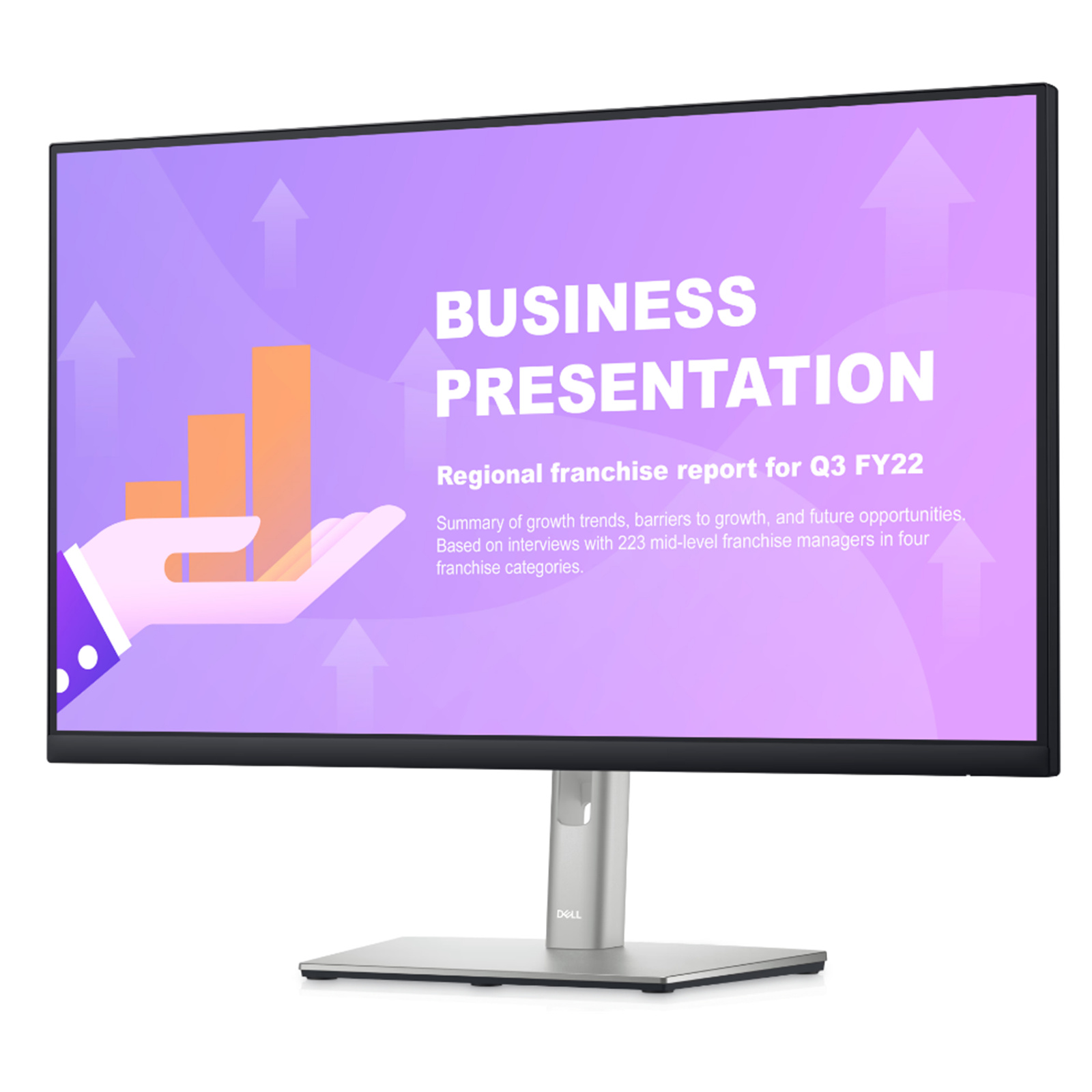
This 1920 x 1080 display has a refresh rate of 100 Hz. This 300 nits monitor covers 99% of the sRGB color gamut with 16.7 million colors while blocking up to 35% of blue light. A 5 ms response time and 1500:1 contrast ratio makes for a dynamic picture that responds to mouse and keyboard input with haste.
This 1920 x 1080 display has a refresh rate of 100 Hz. This 300 nits monitor covers 99% of the sRGB color gamut with 16.7 million colors while blocking up to 35% of blue light. A 5 ms response time and 1500:1 contrast ratio makes for a dynamic picture that responds to mouse and keyboard input with haste.
This 1920 x 1080 display has a refresh rate of 100 Hz. This 300 nits monitor covers 99% of the sRGB color gamut with 16.7 million colors while blocking up to 35% of blue light. A 5 ms response time and 1500:1 contrast ratio makes for a dynamic picture that responds to mouse and keyboard input with haste.
This 1920 x 1080 display has a refresh rate of 100 Hz. This 300 nits monitor covers 99% of the sRGB color gamut with 16.7 million colors while blocking up to 35% of blue light. A 5 ms response time and 1500:1 contrast ratio makes for a dynamic picture that responds to mouse and keyboard input with haste.
Last updated at 08/23/2026 13:31:21
Dell P2725HE 27in FullHD Monitor 1920x1080 60Hz 16:9 5ms DP HDMI USB-C 1yr Wty
Delivery $25
Dell P2725HE 27inch FHD USB-C Hub IPS Business Monitor
Delivery $26
Dell P2725he Usb C 27 Fhd Ips Led 100hz Monitor Clear
Delivery $197.49
originally posted on dell.com
The Dell P2725H monitor is a good upgrade to the previous generation. The bezel maximizes screen real estate and looks great. The visuals are great for what I use it for, that includes reading through emails, documents, scripting. The stand is slim and looks nice, I've never liked bulky monitor stands so I'm glad they stuck with the stand design from the previous models. I thought a 27' monitor would be too large but I got used to it very quickly, not sure I can go back to 24' monitors.
originally posted on dell.com
The Dell P2725HE is a reliable Hub monitor thus far. I have only had this product for a couple of weeks but so far I only have minimal negative thoughts about the product. The image quality is great, and the aesthetic stand is much improved from older and clunkier models. Assembly was a breeze and I had no issue chaining a second monitor using the USB-C cable. My only real issue lies in the access to the ports on the unit. I would prefer the USB ports to be on the side of the monitor as they can be difficult to feel for on the underside of the monitor. aside from this I don't have any problem with the device thus far.
originally posted on dell.com
Came from Dell with a HUGE crack in the screen. After purchasing seven computers and 21 monitors, one of the monitors was dead on arrival. This monitor being part of the last computers to be installed, it took us past 30 days. Contacted Dell support and was told that since 30 days is past, they could not, scratch that, WOULD not be replacing the monitor OR helping in anyway. The picture included shows the monitor screen at the first power up. I'm sure I am not the only customer who has experienced less than desirable support and accountability from Dell. Just make sure if you purchase from Dell, spend the extra few hundred bucks for the best support package....not for a CYA, but to cover Dell's poor quality control.
| VIC - Rowville | At Supplier |
Dell P2725HE 27in FullHD Monitor 1920x1080 60Hz 16:9 5ms DP HDMI USB-C 1yr Wty
Delivery $25
Dell P2725HE 27inch FHD USB-C Hub IPS Business Monitor
Delivery $26
Dell P2725he Usb C 27 Fhd Ips Led 100hz Monitor Clear
Delivery $197.49
The Dell P2725H monitor is a good upgrade to the previous generation. The bezel maximizes screen real estate and looks great. The visuals are great for what I use it for, that includes reading through emails, documents, scripting. The stand is slim and looks nice, I've never liked bulky monitor stands so I'm glad they stuck with the stand design from the previous models. I thought a 27' monitor would be too large but I got used to it very quickly, not sure I can go back to 24' monitors.
The Dell P2725HE is a reliable Hub monitor thus far. I have only had this product for a couple of weeks but so far I only have minimal negative thoughts about the product. The image quality is great, and the aesthetic stand is much improved from older and clunkier models. Assembly was a breeze and I had no issue chaining a second monitor using the USB-C cable. My only real issue lies in the access to the ports on the unit. I would prefer the USB ports to be on the side of the monitor as they can be difficult to feel for on the underside of the monitor. aside from this I don't have any problem with the device thus far.
Came from Dell with a HUGE crack in the screen. After purchasing seven computers and 21 monitors, one of the monitors was dead on arrival. This monitor being part of the last computers to be installed, it took us past 30 days. Contacted Dell support and was told that since 30 days is past, they could not, scratch that, WOULD not be replacing the monitor OR helping in anyway. The picture included shows the monitor screen at the first power up. I'm sure I am not the only customer who has experienced less than desirable support and accountability from Dell. Just make sure if you purchase from Dell, spend the extra few hundred bucks for the best support package....not for a CYA, but to cover Dell's poor quality control.
Everything We expected with the welcome advantage of 100Hz refresh. However, the 24 inch version of this model is available in a stand-less version for both the USB-C and non-USB-C offerings. THIS 27 inch USB-C model is NOT offered in a stand-less option thought the 27 inch non-USB-C version is. This makes no sense and concerns our enterprise business contributing a great deal of waste/land fill which could have been avoided if Dell made the P2725HE in a stand-less version. So I am giving it 4 stars (rather than 5) for that reason. Lets fix that, Dell.
Everything We expected with the welcome advantage of 100Hz refresh. However, the 24 inch version of this model is available in a stand-less version for both the USB-C and non-USB-C offerings. THIS 27 inch USB-C model is NOT offered in a stand-less option thought the 27 inch non-USB-C version is. This makes no sense and concerns our enterprise business contributing a great deal of waste/land fill which could have been avoided if Dell made the P2725HE in a stand-less version. So I am giving it 4 stars (rather than 5) for that reason. Lets fix that, Dell.
I got this for my college apartment as I anticipated needing an additional screen for my Master's Degree school work. It has been a game changer and so easy to use. When I was researching different monitors, I was nervous about the setup, but with this monitor, there is literally 2 cords and the computer charges when plugged in with no additional charging cord necessary!
This is a great monitor so far! I really like the ease of using it as a docking station with less cords to deal with, and the fact that it will power my computer like a dock. I like the additional display options and sleep feature as well. It's a great size for WFH as an additional screen.
This monitor is the typical quality that we have all come to expect with Dell Business Class products. Love the quality of the screen and the articulation of the monitor Love the built in USB 3.1 Ports. You can never have too many USB Ports!!! Love that I can plug my phone in right in front of my and charge the phone from my screen. Love the cable management for a clean look with all those cables. Just a couple of issues -- Power button is hidden on the back of the monitor. This works just fine with TVs. We are using Remotes for working our TV. Dell Monitor -- No Remote. REturn the Power Button and controls to the front of the monitor. USB C on bottom of the screen. This should be back with the rest of the things we do not plug and unplug. USB Sticks, Keyboards and ... MoreThis monitor is the typical quality that we have all come to expect with Dell Business Class products. Love the quality of the screen and the articulation of the monitor Love the built in USB 3.1 Ports. You can never have too many USB Ports!!! Love that I can plug my phone in right in front of my and charge the phone from my screen. Love the cable management for a clean look with all those cables. Just a couple of issues -- Power button is hidden on the back of the monitor. This works just fine with TVs. We are using Remotes for working our TV. Dell Monitor -- No Remote. REturn the Power Button and controls to the front of the monitor. USB C on bottom of the screen. This should be back with the rest of the things we do not plug and unplug. USB Sticks, Keyboards and Mice, External Hard Drives and Webcams are ALL USB 3 - NOT USB C We are not going to get a clunky USB C Dock to plug into our monitor to clutter up our desks. I am reminded of this every time I try to plug something into that port.
The Dell P2725HE is a reliable Hub monitor thus far. I have only had this product for a couple of weeks but so far I only have minimal negative thoughts about the product. The image quality is great, and the aesthetic stand is much improved from older and clunkier models. Assembly was a breeze and I had no issue chaining a second monitor using the USB-C cable. My only real issue lies in the access to the ports on the unit. I would prefer the USB ports to be on the side of the monitor as they can be difficult to feel for on the underside of the monitor. aside from this I don't have any problem with the device thus far.
I got this for my college apartment as I anticipated needing an additional screen for my Master's Degree school work. It has been a game changer and so easy to use. When I was researching different monitors, I was nervous about the setup, but with this monitor, there is literally 2 cords and the computer charges when plugged in with no additional charging cord necessary!
| VIC - Rowville | At Supplier |

