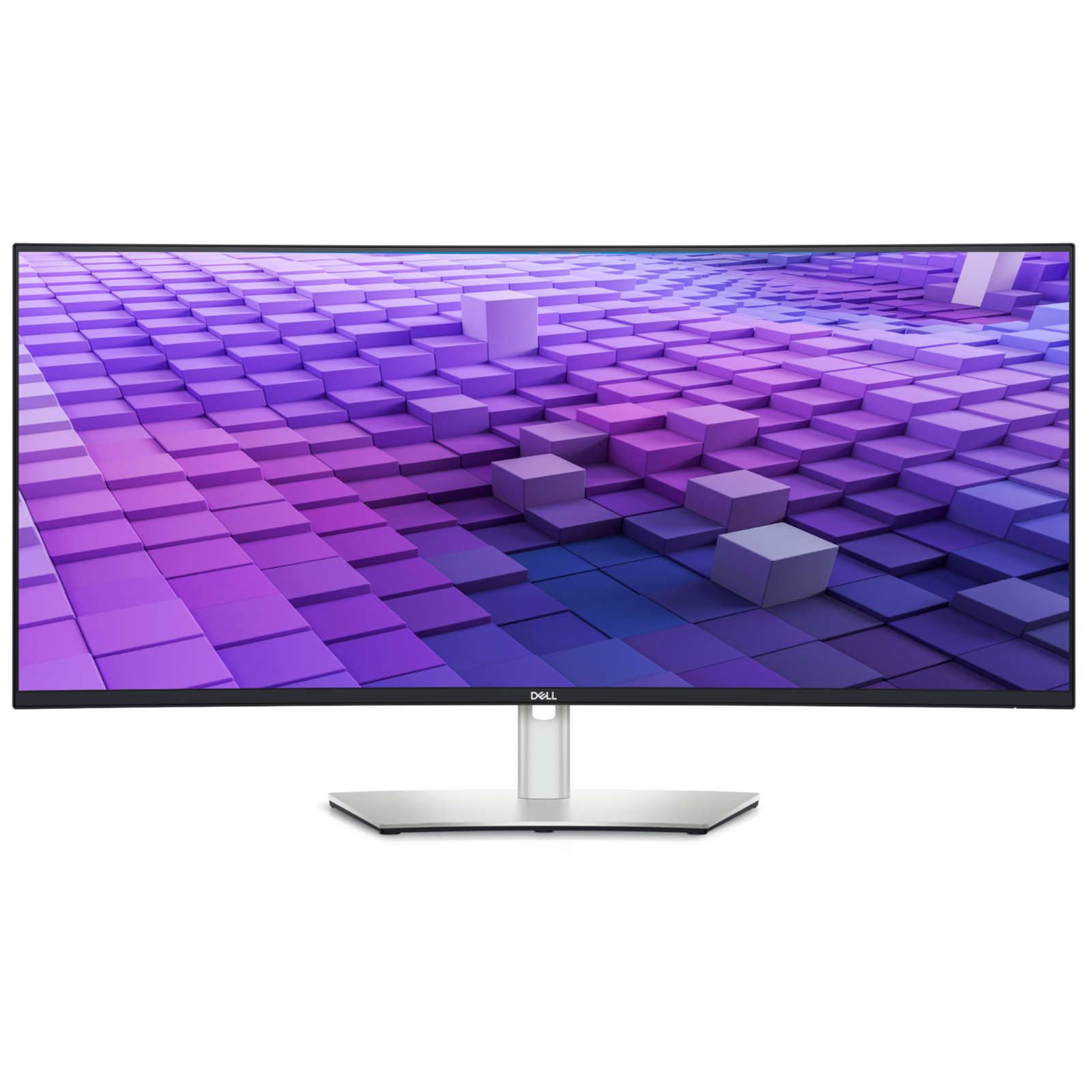
Immerse yourself in a world that’s as beautiful as it is practical on our first 37.5-inch WQHD+ monitor with IPS Black panel technology.
Immerse yourself in a world that’s as beautiful as it is practical on our first 37.5-inch WQHD+ monitor with IPS Black panel technology.
Immerse yourself in a world that’s as beautiful as it is practical on our first 37.5-inch WQHD+ monitor with IPS Black panel technology.
Immerse yourself in a world that’s as beautiful as it is practical on our first 37.5-inch WQHD+ monitor with IPS Black panel technology.
Last updated at 08/22/2026 22:18:05
Dell UltraSharp U3824DW 38\
Affiliate Disclosure: We may receive a small commission for purchases made through this link at no extra cost to you. This helps support our site. Thank you!
Dell Ultrasharp U3824dw 38" Class Wqhd+ Curved Screen Led Monitor 21:9
Free delivery
Affiliate Disclosure: We may receive a small commission for purchases made through this link at no extra cost to you. This helps support our site. Thank you!
Dell UltraSharp U3824DW 38" UltraWide Curved Monitor 3840x1600 - IPS Black - DisplayPort - 2x HDMI - USB-C PD 90W - RJ45 - Height / Swivel / Tilt
7-day returns
Dell UltraSharp 38 Inch WQHD Curved IPS Monitor U3824DW 90W USB-C Hub KVM
Free delivery between 26 Aug – 2 Sept
Dell UltraSharp U3824DW 38" UWQHD+ 2300R Curved IPS Business Monitor (90W USB-C PD + Hub)
Delivery between Tue – Wed $12.65
Dell U3824DW UltraSharp 38" UltraWide WQHD+ IPS Curved USB-C Monitor
Delivery $35.95
Dell U3824DW UltraSharp 38" UltraWide WQHD+ IPS Curved USB-C Monitor
Delivery $41.25
Dell U3824DW UltraSharp 38" UltraWide WQHD+ IPS Curved USB-C Monitor
Delivery between Tue – Fri $23.04
Dell U3824DW UltraSharp 38" UltraWide WQHD+ IPS Curved USB-C Monitor
Delivery $35.95
Dell U3824DW UltraSharp 38" UltraWide WQHD+ IPS Curved USB-C Monitor
Delivery $41.25
originally posted on dell.com
This screen is beautiful and having the embedded dock functionality is an added bonus. Speakers are also very clear and provide great audio. Because of the length of the screen you need to allow a little extra distance than a regular size monitor but it is great to have the extra 'real estate' with the beautiful 4k resolution. My old 27" monitor is now being repurposed and I'm very happy with the replacement!
originally posted on dell.com
The Dell P3824DW is a great monitor for anyone looking for a large, high-resolution display with excellent image quality. The monitor has a 38-inch curved IPS panel with a resolution of 3840x1600 pixels. The image quality is sharp and clear, with excellent color accuracy and contrast. The monitor also has a wide viewing angle, so you can see the image clearly from any angle. my final thoughts on this monitor are as follows:Pros:Large, high-resolution displayExcellent image qualityWide viewing angleBuilt-in KVM switchVariety of portsAffordable priceCons:Can be too large for some desksNo built-in speakersNo VESA mount
originally posted on dell.com
This hub monitor is outstanding. I have ditched my WD22TB4 docking station and connect my Latitude laptop directly to the monitor and use its hub ports. The screen is also amazingly clear and I use a split screen configuration using Dell Display Manager. Although a slightly more expensive monitor compare to my previous dual 24"-27" display configuration, I am not sure I'll ever go back to that again.
| Display Size | 37.52" |
| Panel Type | IPS-Type LCD |
| Resolution | 3840 x 1600 |
| Maximum Brightness | 300 nits / cd/m 2 |
| Bit Depth / Color Support | 10-Bit (1.07 Billion Colors) |
Dell UltraSharp U3824DW 38\
Affiliate Disclosure: We may receive a small commission for purchases made through this link at no extra cost to you. This helps support our site. Thank you!
Dell Ultrasharp U3824dw 38" Class Wqhd+ Curved Screen Led Monitor 21:9
Free delivery
Affiliate Disclosure: We may receive a small commission for purchases made through this link at no extra cost to you. This helps support our site. Thank you!
Dell UltraSharp U3824DW 38" UltraWide Curved Monitor 3840x1600 - IPS Black - DisplayPort - 2x HDMI - USB-C PD 90W - RJ45 - Height / Swivel / Tilt
7-day returns
Dell UltraSharp 38 Inch WQHD Curved IPS Monitor U3824DW 90W USB-C Hub KVM
Free delivery between 26 Aug – 2 Sept
Dell UltraSharp U3824DW 38" UWQHD+ 2300R Curved IPS Business Monitor (90W USB-C PD + Hub)
Delivery between Tue – Wed $12.65
This screen is beautiful and having the embedded dock functionality is an added bonus. Speakers are also very clear and provide great audio. Because of the length of the screen you need to allow a little extra distance than a regular size monitor but it is great to have the extra 'real estate' with the beautiful 4k resolution. My old 27" monitor is now being repurposed and I'm very happy with the replacement!
The Dell P3824DW is a great monitor for anyone looking for a large, high-resolution display with excellent image quality. The monitor has a 38-inch curved IPS panel with a resolution of 3840x1600 pixels. The image quality is sharp and clear, with excellent color accuracy and contrast. The monitor also has a wide viewing angle, so you can see the image clearly from any angle. my final thoughts on this monitor are as follows:Pros:Large, high-resolution displayExcellent image qualityWide viewing angleBuilt-in KVM switchVariety of portsAffordable priceCons:Can be too large for some desksNo built-in speakersNo VESA mount
This hub monitor is outstanding. I have ditched my WD22TB4 docking station and connect my Latitude laptop directly to the monitor and use its hub ports. The screen is also amazingly clear and I use a split screen configuration using Dell Display Manager. Although a slightly more expensive monitor compare to my previous dual 24"-27" display configuration, I am not sure I'll ever go back to that again.
After 13+ years using a Dell U2410, it was time for an upgrade to my daily workstation setup. As a developer, extra vertical resolution was one of my top requirements when looking for a replacement. From reading healthy reviews of the previous U3818 and U3821 models, there were no qualms making a Day 1 purchase of the latest iteration to their 3840x1600 display. It has been mounted on Dell's MSA20 swivel arm for easy adjustments.With 30 days of use under my belt, I can safely say the monitor does not disappoint. Crisp display, accurate colors, and happily enjoying the increased real estate without the annoyance of gaps in a multi-monitor setup. Also fully utilizing the 2.5Gbps ethernet plug and USB 3 hub with power delivery which frees up several ports on the main ... MoreAfter 13+ years using a Dell U2410, it was time for an upgrade to my daily workstation setup. As a developer, extra vertical resolution was one of my top requirements when looking for a replacement. From reading healthy reviews of the previous U3818 and U3821 models, there were no qualms making a Day 1 purchase of the latest iteration to their 3840x1600 display. It has been mounted on Dell's MSA20 swivel arm for easy adjustments.With 30 days of use under my belt, I can safely say the monitor does not disappoint. Crisp display, accurate colors, and happily enjoying the increased real estate without the annoyance of gaps in a multi-monitor setup. Also fully utilizing the 2.5Gbps ethernet plug and USB 3 hub with power delivery which frees up several ports on the main workstation. Although I have no need of the built-in speakers, a quick sampling showed they're adequate enough for casual users. I have not (yet) tried the PIP or side-by-side display features, so other reviewers will need to chime in on those features.The only gripe which docks 1 star: I feel the MSRP is too high compared to its competitors. If I was a dedicated modern gamer, I would have passed this up due to the limited 60Hz refresh rate, lack of HDR and 300 nits of max brightness. Obviously this monitor is not targeted for serious gamers, but even so, it's easy to balk at the premium price for what is essentially a productivity display. If it weren't for stacking coupons and cash back offers to bring my purchase price down, I would have probably waited for this to go on sale before picking up.Another thing to note is that any accessories hooked up to the monitor lose power when the workstation goes to sleep, which means I can no longer use the keyboard/mouse to wake the computer. It's not detrimental, but a notable change from my previous Dell display which kept everything powered and on standby. (This scenario could be related to the age of my workstation and may not be the same for all users.)Overall, if you're looking strictly for a beautiful ultrawide for the office to get your work done and can find one of these at a reduced price, I would heartily recommend.
I purchased this to replace an aging Thunderbolt Display connected to my MacBook Pro M1 laptop and also use with a Dell laptop. I'm not a gamer nor someone who needs a color perfect display for my needs.Overall, it's been a great choice for productivity use. For the MacBook, the native resolution allows it to work great as a standard non-Retina display without the need to resort to any image scaling vs. a typical 4K monitor. If you are not familiar with the PPI non-Retina and Retina resolution ranges that look best without resorting to scaling I suggest you do a little Googling for it. When you scale, you eat up some of your processing power.Connected to the upstream USB power allows me to use just one cable for video, access all of the ports on the monitor ... MoreI purchased this to replace an aging Thunderbolt Display connected to my MacBook Pro M1 laptop and also use with a Dell laptop. I'm not a gamer nor someone who needs a color perfect display for my needs.Overall, it's been a great choice for productivity use. For the MacBook, the native resolution allows it to work great as a standard non-Retina display without the need to resort to any image scaling vs. a typical 4K monitor. If you are not familiar with the PPI non-Retina and Retina resolution ranges that look best without resorting to scaling I suggest you do a little Googling for it. When you scale, you eat up some of your processing power.Connected to the upstream USB power allows me to use just one cable for video, access all of the ports on the monitor (e.g. ethernet), and charge my MacBook. I connect the Dell laptop to the monitor via a Dell USB-C dock and output the video via a display power video output. I elected not to use the Dell KVM setup. Instead, I simply use the Dell Display Manager software to switch video inputs and rely on a Logitech keyboard and mouse that allow me to switch between the two laptops.The biggest disappointment is that Dell does not have a display of this type with a refresh rate grater than 60Hz. I knew that going in, but it's still disappointing as I would have paid more for a monitor of this size and resolution with a higher refresh rate. I'm glad the monitor has built in speakers, but they won't impress anyone. A nice convenience factor that may leave you wanting to add something externally that's more robust.The unboxing and setup process was excellent. This is the first time I have personally setup a monitor of this size so I didn't know what to expect. What I encountered was an extremely well thought out package that made it a breeze for one person to unbox and set up the monitor. It's also great that Dell provides a reasonable set of cables with the monitor.if you're a Mac or Windows user looking for a productivity monitor then this one deserves to be on your short list to consider.
It is extremely pleasant to the eyes, fulfills the requirements of its usage, and its color and brightness are excellent. I've being using it with the iMac. Also have used it as a KVM switch with my Dell laptop and it's amazing how it wokrs as a monitor, dock station and kvm swtich. Perfect for shared space and user with multiple devices (a office desktop and a Laptop)
I was pleased with rapid delivery and performance of monitor. It started increasing my productivity straight away. I had to fix the over tightened screws that held the mounting plate to the stand in order to be able to level the monitor. The start up guide/pictorial manual was very confusing in helping me fix that problem or even understanding how much it should or shouldn't adjust.The only blemish on a perfect purchase was the factory assembly of the stand led to the left right rotation adjustment being too rigid ( as in you couldn't adjust it and it was tipped down 5 degrees at one side) I contacted Dell tech support and they were very helpful at guiding me to a manual and even arranging to ship a replacement monitor. After talking with them I disassembled the ... MoreI was pleased with rapid delivery and performance of monitor. It started increasing my productivity straight away. I had to fix the over tightened screws that held the mounting plate to the stand in order to be able to level the monitor. The start up guide/pictorial manual was very confusing in helping me fix that problem or even understanding how much it should or shouldn't adjust.The only blemish on a perfect purchase was the factory assembly of the stand led to the left right rotation adjustment being too rigid ( as in you couldn't adjust it and it was tipped down 5 degrees at one side) I contacted Dell tech support and they were very helpful at guiding me to a manual and even arranging to ship a replacement monitor. After talking with them I disassembled the stand and monitor and loosened the 4 screws holding the mounting plate to the stand. That was very hard to do as they were torqued down very tightly. When loosened very slightly (perhaps to the correct torque?) adequate adjustment was achieved. Dell were able to stop the shipment of the replacement monitor before it got to me so I didn't have to mess with returning the first monitor and assembling a new monitor.The manuals were not very helpful in fixing the problem. The pictorial guide for start up was not clear as to whether it was showing expected adjustment range or warning me not to adjust it beyond 4 degrees in left right tilt. There was an exclamation mark/shriek on the panel showing the adjustment, should that be interpreted as a warning or a note?By the time I fixed the monitor it was already a beloved part of my work environment. I would buy another of this type. I have had no problem hooking it up to 2 different computers. I have not yet tried the KVM/USB hub aspect of the monitor but one reason for the purchase was being able to multitask between computers either remotely or at home with a single monitor.
This monitor is okay. But that's the issue, the price of this monitor doesn't match the value you get from it. I have some pretty bad backlight bleeding happening and the contrast isn't anywhere near the 2000:1 they claim on their marketing. Colors are good, but cheaper monitors exist that get close this and Dell sells ultrasharp's with much better color output than this for cheaper (although smaller in size)Also, I don't like being deceived from their product demo video and imagery. The border around this monitor is quite large. The marketing video clearly shows this monitor with a near zero black border around the edge and the screen being display. It's completely deceptive, be sure to watch review sites with the actual monitor being used before you decide to ... MoreThis monitor is okay. But that's the issue, the price of this monitor doesn't match the value you get from it. I have some pretty bad backlight bleeding happening and the contrast isn't anywhere near the 2000:1 they claim on their marketing. Colors are good, but cheaper monitors exist that get close this and Dell sells ultrasharp's with much better color output than this for cheaper (although smaller in size)Also, I don't like being deceived from their product demo video and imagery. The border around this monitor is quite large. The marketing video clearly shows this monitor with a near zero black border around the edge and the screen being display. It's completely deceptive, be sure to watch review sites with the actual monitor being used before you decide to purchase.The KVM switch works well.
So far it feels and looks stellar - great contrast and colors (no surprise here - its IPS Black) and a lot of connectivity options. Ideal resolution/ratio/pixel size/screen size for any CAD/3D/ and animation workflow. Another workhorse from Dell. I wish the curvature is slightly more aggressive - Dell plays safe here, I understand it.PS. My prev. monitor was also ultrawide from Dell (2016). Served me well, just wanted more contrast and a bit of more real estate.
My wife has one of these monitors at work. She works from home now too so we bought one for both of us to use. It’s amazing. Super clear at full resolution. It is smoother working with one continuous monitor than dual monitors. I have multiple windows open on our macmini when I do my sermon prep and when I work with Sibelius. Wonderfully smooth work flow. Same for my wife with her workflows for work. Works perfectly with our macmini. Don’t hesitate to but this monitor if you are a multitasker with many apps open at once. The monitor can handle it. Loved the curved screen that causes no neck or eye strain at all even with multiple apps running. The design is like a piece of art sitting on the desk. Very user friendly and helpful to crank out volumes of work. We love ... MoreMy wife has one of these monitors at work. She works from home now too so we bought one for both of us to use. It’s amazing. Super clear at full resolution. It is smoother working with one continuous monitor than dual monitors. I have multiple windows open on our macmini when I do my sermon prep and when I work with Sibelius. Wonderfully smooth work flow. Same for my wife with her workflows for work. Works perfectly with our macmini. Don’t hesitate to but this monitor if you are a multitasker with many apps open at once. The monitor can handle it. Loved the curved screen that causes no neck or eye strain at all even with multiple apps running. The design is like a piece of art sitting on the desk. Very user friendly and helpful to crank out volumes of work. We love it and can’t do with out it now. Worth every penny.
| Display Size | 37.52" |
| Panel Type | IPS-Type LCD |
| Resolution | 3840 x 1600 |
| Maximum Brightness | 300 nits / cd/m 2 |
| Bit Depth / Color Support | 10-Bit (1.07 Billion Colors) |

