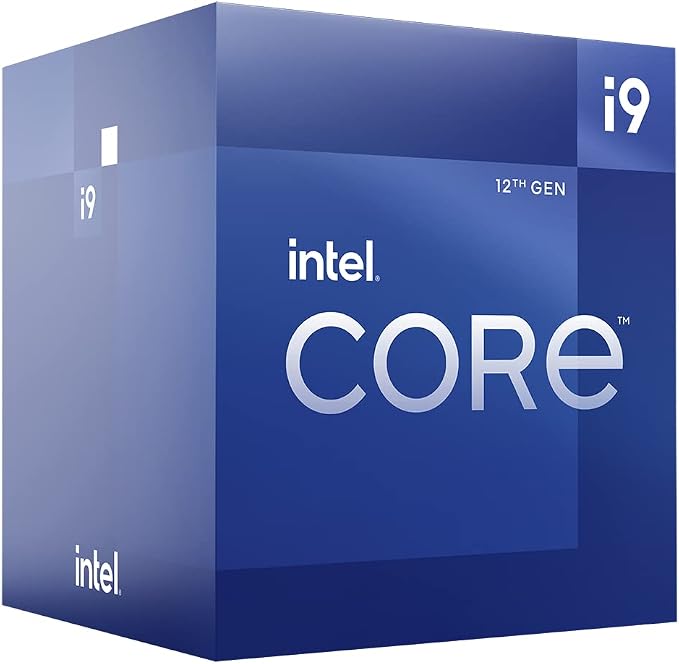
The 12th Gen Intel Core desktop processor is a computer part that makes your computer faster. It has two types of cores - Performance-cores and Efficient-cores - that work together to make your computer run smoothly. It can also help you with gaming, working, and creating things on your computer. This processor can support something called DDR5 memory and has industry-first features such as PCIe 5.0 readiness. This means you can connect your computer to other devices really quickly. The 12th Gen processor has good graphics too, which means your computer can show really pretty pictures or videos. The processor has a lot of specifications too, such as how fast it can go and how much power it needs to work properly. It also has lots of ways to connect to other computer parts, like memory (RAM) or graphics cards. Overall, the 12th Gen Intel Core desktop processor is a fancy part for your computer that can make it run faster and look nicer.
The 12th Gen Intel Core desktop processor is a computer part that makes your computer faster. It has two types of cores - Performance-cores and Efficient-cores - that work together to make your computer run smoothly. It can also help you with gaming, working, and creating things on your computer. This processor can support something called DDR5 memory and has industry-first features such as PCIe 5.0 readiness. This means you can connect your computer to other devices really quickly. The 12th Gen processor has good graphics too, which means your computer can show really pretty pictures or videos. The processor has a lot of specifications too, such as how fast it can go and how much power it needs to work properly. It also has lots of ways to connect to other computer parts, like memory (RAM) or graphics cards. Overall, the 12th Gen Intel Core desktop processor is a fancy part for your computer that can make it run faster and look nicer.
The 12th Gen Intel Core desktop processor is a computer part that makes your computer faster. It has two types of cores - Performance-cores and Efficient-cores - that work together to make your computer run smoothly. It can also help you with gaming, working, and creating things on your computer. This processor can support something called DDR5 memory and has industry-first features such as PCIe 5.0 readiness. This means you can connect your computer to other devices really quickly. The 12th Gen processor has good graphics too, which means your computer can show really pretty pictures or videos. The processor has a lot of specifications too, such as how fast it can go and how much power it needs to work properly. It also has lots of ways to connect to other computer parts, like memory (RAM) or graphics cards. Overall, the 12th Gen Intel Core desktop processor is a fancy part for your computer that can make it run faster and look nicer.
The 12th Gen Intel Core desktop processor is a computer part that makes your computer faster. It has two types of cores - Performance-cores and Efficient-cores - that work together to make your computer run smoothly. It can also help you with gaming, working, and creating things on your computer. This processor can support something called DDR5 memory and has industry-first features such as PCIe 5.0 readiness. This means you can connect your computer to other devices really quickly. The 12th Gen processor has good graphics too, which means your computer can show really pretty pictures or videos. The processor has a lot of specifications too, such as how fast it can go and how much power it needs to work properly. It also has lots of ways to connect to other computer parts, like memory (RAM) or graphics cards. Overall, the 12th Gen Intel Core desktop processor is a fancy part for your computer that can make it run faster and look nicer.
Last updated at 08/28/2026 12:15:31
Intel Core i9 12900KS 16 Core LGA 1700 CPU Processor (BX8071512900KS)
Intel Core i9 12900KS 16 Core LGA 1700 CPU Processor BX8071512900KS - Intel CPU
Delivery $16.60
Intel Core i9 12900KS 16 Core LGA 1700 CPU Processor BX8071512900KS - Intel CPU
Delivery $12
Intel 12th Gen Core i9-12900KS Unlocked Special Edition Desktop Processor CPU | Up to 5.50GHz | LGA 1700 | In-Store Only
Delivery $10.95
Intel Core i9 12900KS 16 Core LGA 1700 CPU Processor
Delivery between 4–9 Sept $22
Intel Core i9-12900KS 12th Gen Alder Lake Desktop Processor, LGA 1700, 16-Core (8P+8E), 3.4 GHz Frequency, 24 Total Threads, 30 MB Intel Smart Cache,
Delivery between 2–9 Sept $40.07
originally posted on microcenter.com
This is the holy grail of processors! DONT go with the sub par 5800X3D, where AMD tricks their consumers into thinking the so called 3D-V Cache helps you in gaming. In reality, CLOCKS matter! This is where this processor shines! Don't settle for the low clock and WAY overpriced 5800X3D! Most, if not all games do not benefit from extra cache! Buy this, you will now regret it. Sucks to be you people who bought the 5800X3D thinking it was the best!
originally posted on bestbuy.com
Pricey but the best performance out there. I was lucky enough to get an SP94 (Asus Silicon rating system) so an above average chip but compared to the 12900k I already had it wasn't enough to justify its cost. I achieved exactly +1 bin better (100mhz) overall using an Arctic Liquid Freezer II 420mm AIO over my SP91 12900k for day to day use (5.2 all core vs 5.3 all core). Both thermal throttled into oblivion at 5.4 all core and at that stage you will need custom water and a potential delid for both to tame their heat output. I will say having 2-3 cores clock to 5.7 for single CB23 runs and gaming was nice to see but really made no real world difference when gaming and only a slight benefit versus my 12900k for compile times.So who is this chip for? If you're a new ... MorePricey but the best performance out there. I was lucky enough to get an SP94 (Asus Silicon rating system) so an above average chip but compared to the 12900k I already had it wasn't enough to justify its cost. I achieved exactly +1 bin better (100mhz) overall using an Arctic Liquid Freezer II 420mm AIO over my SP91 12900k for day to day use (5.2 all core vs 5.3 all core). Both thermal throttled into oblivion at 5.4 all core and at that stage you will need custom water and a potential delid for both to tame their heat output. I will say having 2-3 cores clock to 5.7 for single CB23 runs and gaming was nice to see but really made no real world difference when gaming and only a slight benefit versus my 12900k for compile times.So who is this chip for? If you're a new buyer and want the absolute best of the best and cost is no object and you don't mind a lot of power consumption and heat to potentially manage, this is the one for you. If you're into benching and overclocking and have the proper cooling to tame (or at least try) this monster chip, this is definitely for you. You will be cutting edge, state of the art and have the fastest consumer CPU on the market.On the other hand, if you want to save a little coin, give your cooler fans a break and have a quieter running system that runs cooler and get the same thing running slightly slower get a 12900k or even better a 12600k if all you do is game.
originally posted on neweggbusiness.com
I had the 12900K and when this came out I had to buy it. It is very fast and fast is money so everyone knows that. Is it worth the extra money compared to the 12900K ? If you want an extra 8-10% performance gain then it is, if you can live with an already very fast cpu, keep the 12900K your not going to notice much of a difference. I also own the AMD 5950X and they only thing I do to challenge these processors is run Handbrake. And Handbrake seems to like the Intel stuff better because all my times are lower using the Intel system, not much but lower. This CPU does run hotter than the 12900K, even hotter than the 5950x which is saying something as the AMD runs quite warm. If your having issues cooling the 12900K, forget about this processor, it runs hotter and if ... MoreI had the 12900K and when this came out I had to buy it. It is very fast and fast is money so everyone knows that. Is it worth the extra money compared to the 12900K ? If you want an extra 8-10% performance gain then it is, if you can live with an already very fast cpu, keep the 12900K your not going to notice much of a difference. I also own the AMD 5950X and they only thing I do to challenge these processors is run Handbrake. And Handbrake seems to like the Intel stuff better because all my times are lower using the Intel system, not much but lower. This CPU does run hotter than the 12900K, even hotter than the 5950x which is saying something as the AMD runs quite warm. If your having issues cooling the 12900K, forget about this processor, it runs hotter and if the cpu is throttled down all the time due to temp, what's the point? I really just got this just to have it. Which is kinda dumb, if you have the money to blow, buy it.
| General | |
| Product Type | Processor |
| Processor | |
| Type / Form Factor | Intel Core i9 12900KS (12th Gen) |
| Number of Cores | 16-core |
Intel Core i9 12900KS 16 Core LGA 1700 CPU Processor (BX8071512900KS)
Intel Core i9 12900KS 16 Core LGA 1700 CPU Processor BX8071512900KS - Intel CPU
Delivery $16.60
Intel Core i9 12900KS 16 Core LGA 1700 CPU Processor BX8071512900KS - Intel CPU
Delivery $12
Intel 12th Gen Core i9-12900KS Unlocked Special Edition Desktop Processor CPU | Up to 5.50GHz | LGA 1700 | In-Store Only
Delivery $10.95
Intel Core i9 12900KS 16 Core LGA 1700 CPU Processor
Delivery between 4–9 Sept $22
This is the holy grail of processors! DONT go with the sub par 5800X3D, where AMD tricks their consumers into thinking the so called 3D-V Cache helps you in gaming. In reality, CLOCKS matter! This is where this processor shines! Don't settle for the low clock and WAY overpriced 5800X3D! Most, if not all games do not benefit from extra cache! Buy this, you will now regret it. Sucks to be you people who bought the 5800X3D thinking it was the best!
Pricey but the best performance out there. I was lucky enough to get an SP94 (Asus Silicon rating system) so an above average chip but compared to the 12900k I already had it wasn't enough to justify its cost. I achieved exactly +1 bin better (100mhz) overall using an Arctic Liquid Freezer II 420mm AIO over my SP91 12900k for day to day use (5.2 all core vs 5.3 all core). Both thermal throttled into oblivion at 5.4 all core and at that stage you will need custom water and a potential delid for both to tame their heat output. I will say having 2-3 cores clock to 5.7 for single CB23 runs and gaming was nice to see but really made no real world difference when gaming and only a slight benefit versus my 12900k for compile times.So who is this chip for? If you're a new ... MorePricey but the best performance out there. I was lucky enough to get an SP94 (Asus Silicon rating system) so an above average chip but compared to the 12900k I already had it wasn't enough to justify its cost. I achieved exactly +1 bin better (100mhz) overall using an Arctic Liquid Freezer II 420mm AIO over my SP91 12900k for day to day use (5.2 all core vs 5.3 all core). Both thermal throttled into oblivion at 5.4 all core and at that stage you will need custom water and a potential delid for both to tame their heat output. I will say having 2-3 cores clock to 5.7 for single CB23 runs and gaming was nice to see but really made no real world difference when gaming and only a slight benefit versus my 12900k for compile times.So who is this chip for? If you're a new buyer and want the absolute best of the best and cost is no object and you don't mind a lot of power consumption and heat to potentially manage, this is the one for you. If you're into benching and overclocking and have the proper cooling to tame (or at least try) this monster chip, this is definitely for you. You will be cutting edge, state of the art and have the fastest consumer CPU on the market.On the other hand, if you want to save a little coin, give your cooler fans a break and have a quieter running system that runs cooler and get the same thing running slightly slower get a 12900k or even better a 12600k if all you do is game.
I had the 12900K and when this came out I had to buy it. It is very fast and fast is money so everyone knows that. Is it worth the extra money compared to the 12900K ? If you want an extra 8-10% performance gain then it is, if you can live with an already very fast cpu, keep the 12900K your not going to notice much of a difference. I also own the AMD 5950X and they only thing I do to challenge these processors is run Handbrake. And Handbrake seems to like the Intel stuff better because all my times are lower using the Intel system, not much but lower. This CPU does run hotter than the 12900K, even hotter than the 5950x which is saying something as the AMD runs quite warm. If your having issues cooling the 12900K, forget about this processor, it runs hotter and if ... MoreI had the 12900K and when this came out I had to buy it. It is very fast and fast is money so everyone knows that. Is it worth the extra money compared to the 12900K ? If you want an extra 8-10% performance gain then it is, if you can live with an already very fast cpu, keep the 12900K your not going to notice much of a difference. I also own the AMD 5950X and they only thing I do to challenge these processors is run Handbrake. And Handbrake seems to like the Intel stuff better because all my times are lower using the Intel system, not much but lower. This CPU does run hotter than the 12900K, even hotter than the 5950x which is saying something as the AMD runs quite warm. If your having issues cooling the 12900K, forget about this processor, it runs hotter and if the cpu is throttled down all the time due to temp, what's the point? I really just got this just to have it. Which is kinda dumb, if you have the money to blow, buy it.
This is a total gamble , and i lost . If you have the money to throw then go ahead and join this lottery. You MIGHT get one thats better then 12900k but probably not. Go watch Der8auers youtube reviews of this cpu and make a decision after. I went in and turned off Asus MCE and temps are more manageable and not thermal throttling. Rig . Asus z690 extreme , 12900ks SP86 , Arctic Liquid Freezer 2 420 aio (for now , until i get fittings for my cpu EK block and EVGA 3090ftw3 ultra and 2 420 rads), Teamgroup 6200mhz 16x2 memory kit. In a Corsair 7000d white case.
I'm offset undervolting .2 volts and getting Cinebench multicore scores right around 28,000 with temps in the low to mid-80's on a Noctua D15. It'll be running near 24/7, so I don't want to mess with water cooling, even if that means I could squeeze a bit more out of it. It's 3x the speed of my last dual Xeon workstation, so I'm happy. Could I have gotten the same out of the regular K? Maybe, but over the 6 to 8 years this will serve as my 3D/render workstation, the extra $180 isn't much of a concern. No regrets, no complaints. My system: 12900KS MSI MEG Unify-X Kingston Fury 64 Gigs DDR5 5600 Noctua NH-D15 Corsair HX1200 Fractal Torrent Compact GTX1070 (temporary until 30 series cards are available at MSRP)
I want to preface this review by saying im a ryzen fan. But holy cow, this processor is amazing. This puppy can be overclocked to 5 gigahurtz EASY. Or you can be like LTT and get it to ~7. However, you will need proper cooling because it gets hot. Not hot but hot hot. I use a ryujin II 360 and i still think its not enough. Its still a great option though. You might want to consider water cooling it. Again, this processor is expensive. If you buy this, then get DDR5. Again, not cheap. But it can run at reaaaaaaally high speeds. If you get a good motherboard, you can get access to PCIe gen 5. Doesnt exist yet, but you can get it when it does. I know that Intel is going to release its 13 series processors and Ryzen is about to come out with its 7000 series soon but ... MoreI want to preface this review by saying im a ryzen fan. But holy cow, this processor is amazing. This puppy can be overclocked to 5 gigahurtz EASY. Or you can be like LTT and get it to ~7. However, you will need proper cooling because it gets hot. Not hot but hot hot. I use a ryujin II 360 and i still think its not enough. Its still a great option though. You might want to consider water cooling it. Again, this processor is expensive. If you buy this, then get DDR5. Again, not cheap. But it can run at reaaaaaaally high speeds. If you get a good motherboard, you can get access to PCIe gen 5. Doesnt exist yet, but you can get it when it does. I know that Intel is going to release its 13 series processors and Ryzen is about to come out with its 7000 series soon but this processor is powerful and will likely be a contender against them. Get a good graphics card too, Nvidia is better for Intel and Radeon is best with Ryzen. If you buy this processor youll need to get some good components that micro center has. But if you do end up buying this processor keep in mind that you should likely be spending upwards of 3,000 dollars. Hopefully its less, theres bound to be atleast one part on sale. I hope that if you do get this processor, that you enjoy the heck out of it. I know i am. My ryzen 5950x sure isnt…
I built this machine to replace a system built in 2008. 14 years served me well. Now I need TPM and UEFI-Secure boot to continue to host the virtual machines I maintain. I hope to be getting the long term from this system as well.I chose the i9-12900KS unlocked processor as the video is on chip as well. Avoided the need for a costly video card. The speed is noticeable, at times even amazing. The intel 7700 chip provides plenty of clarity on 4k with the Displayport connection. HDMI I will admit is a little fuzzy in comparison. For the most part this system is host to VM's and a sync backup of disks. A monitor is connected only for troubleshooting or opening the UEFI for settings.I built on a ROG STRIX Z690-A GAMING WIFI D4 platform for the 4- NVME x4.0 slot on ... MoreI built this machine to replace a system built in 2008. 14 years served me well. Now I need TPM and UEFI-Secure boot to continue to host the virtual machines I maintain. I hope to be getting the long term from this system as well.I chose the i9-12900KS unlocked processor as the video is on chip as well. Avoided the need for a costly video card. The speed is noticeable, at times even amazing. The intel 7700 chip provides plenty of clarity on 4k with the Displayport connection. HDMI I will admit is a little fuzzy in comparison. For the most part this system is host to VM's and a sync backup of disks. A monitor is connected only for troubleshooting or opening the UEFI for settings.I built on a ROG STRIX Z690-A GAMING WIFI D4 platform for the 4- NVME x4.0 slot on the board. Large copies (110GB) from M.2 to M.2 are ~3.25GB throughput. 20 seconds give or take. I chose this board not only for the number of NVME slots but DDR4. The DDR5 is priced out of reach. You cannot fully populate the 128GB possible with DDR5 as the 32GBsticks are nearly impossible to find or afford. Corsair DDR4 on this is stable using the auto XMP profile.This is the first system I built and turned on with no issues and stable fast speeds.So far, the largest load is 3 VM's sustaining about 45% CPU and 55% memory on the system. Even though the i9-12900KS is supposed to run hot it does not. The simple Noctua NH-U12A CPU Fan and Noctua case fans keeps it running cool and quiet.
Very happy with the speed. Once I turned down the voltage to the CPU I was able to keep the unit cooler by 25 degrees Celsius and not suffer any blue screen issues on full load playing games at over 100 frames per second. I believe my stock setting was at 3.36 volts and I reduced it to 3.155 Volts. Only do this once you understand how to safely modify this, and I also suggest not to over clock this CPU even though you can. Plenty of educational video available on YouTube on these topics with the Intel 12900 model CPU’s.
So far so good! It's been lightning quick and no issues. Hits 5+GHz without trouble or really much temp increase with normal program loads. You will want a big case for a big radiator and liquid cooling... and the board to house it.. so plan a high end build or this chip will not perform to it's potential. If you skimp on the board, just get something cheaper for a processor, otherwise it's pointless. Do homework on installation, I had to go back for 4 simple adaptor screws that made it compatible with the cooling system and MSI mainboard I bought, which was all brand new.. but I guess they are still catching up with the adaptors that come in the box with the cooling systems. Also get DDR5 so it can scream along side this monster... spoil yourself with the side ... MoreSo far so good! It's been lightning quick and no issues. Hits 5+GHz without trouble or really much temp increase with normal program loads. You will want a big case for a big radiator and liquid cooling... and the board to house it.. so plan a high end build or this chip will not perform to it's potential. If you skimp on the board, just get something cheaper for a processor, otherwise it's pointless. Do homework on installation, I had to go back for 4 simple adaptor screws that made it compatible with the cooling system and MSI mainboard I bought, which was all brand new.. but I guess they are still catching up with the adaptors that come in the box with the cooling systems. Also get DDR5 so it can scream along side this monster... spoil yourself with the side parts and your build will last a long time.
my sample has asus sp score of 100 on the p cores and 86 on the e cores. Using just the AI overclock and an AIO 3 cores @ 5.7ghz and all core of 5.4ghz. Temps stay within Intel spec. 6800mhz cl30 ram after overclock. IF you are going to buy a 12900k mine as well get a good sample. I had 5 other 12900k and none of them were close to this KS which in terms of KS's is mid range. Fastest chip for the next few months. Don't buy what you cant easily afford. Especially when it comes computer parts.
| General | |
| Product Type | Processor |
| Processor | |
| Type / Form Factor | Intel Core i9 12900KS (12th Gen) |
| Number of Cores | 16-core |

