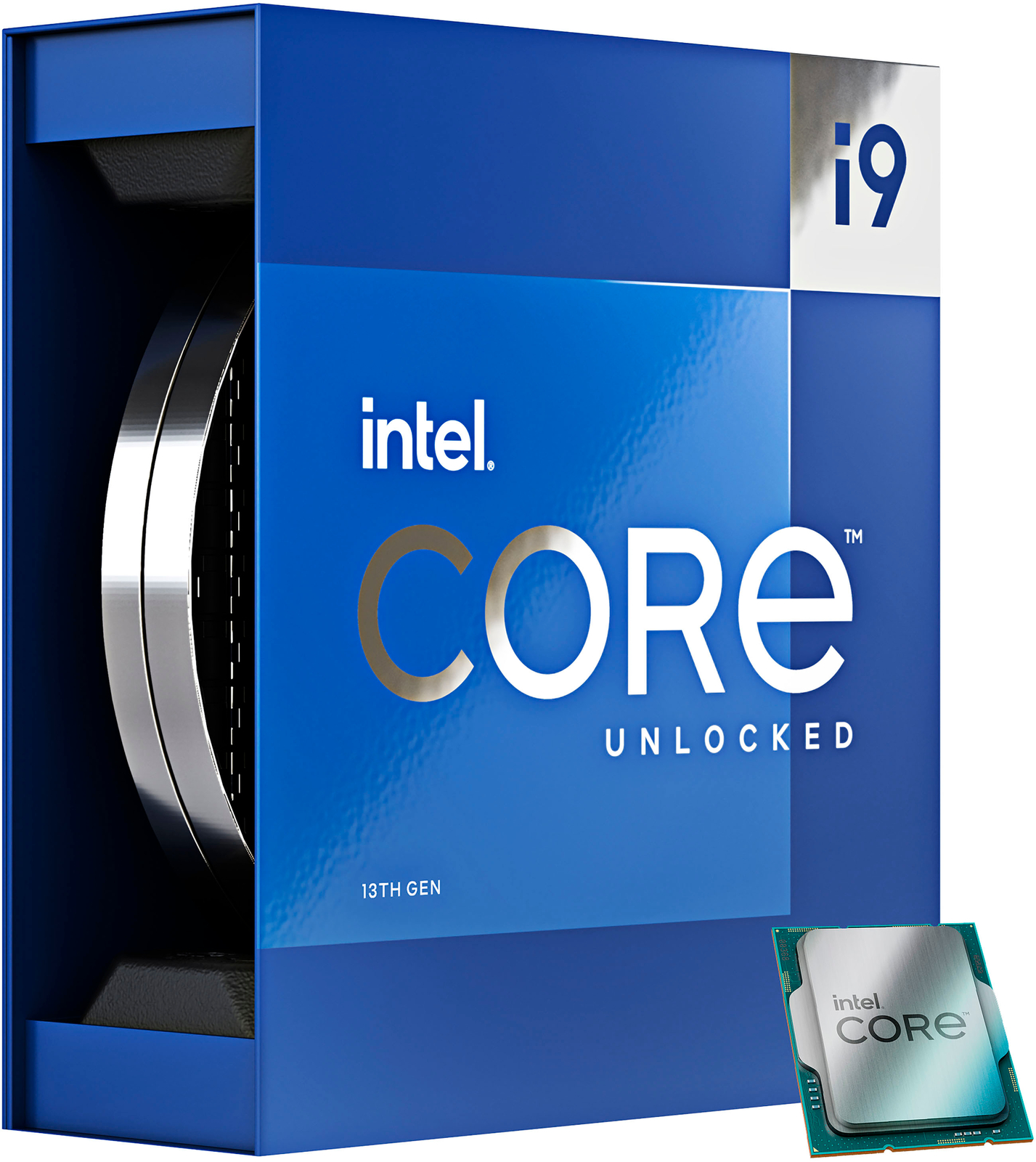
See also, Core i3, Core i5, Core i7, Core i9 CPUs. Say hello to Raptor-Lake Intel's incredible 13th generation processors are hear to break the boundaries of modern day processing power. Now with up to 14 cores (6 Performance-cores and 8 Efficient-cores) and up to 20 threads, plus Performance-cores are capable of reaching 5.1 GHz with Intel Thermal Velocity Boost to elevate performance. Intel Turbo Boost Max Technology 3 further strengthens lightly threaded performance by identifying the best-performing Performance-cores. Meanwhile, additional E-cores enable an increase in Intel Smart Cache (L3) for more efficient processing of larger data sets and better performance. The P-core and E-core L2 cache has also increased compared to the previous generation of Intel processors, minimising the amount of time spent swapping data between cache and memory to speed up your workflow. Unleash the power of next-level performance with the 13th Gen Intel Core desktop processor advantage. Advancing Performance Hybrid Architecture 13th Gen Intel Core processors advances performance hybrid architecture with up to eight Performance-cores (P-core) and up to 16 Efficient-cores (E-core), combined with workloads intelligently routed by Intel Thread Director2. Built for Modern Gaming Built for gamers looking for maximum performance to play the latest games, while also having the capabilities to tackle other workloads. New 13th Gen Intel Core processor-based PCs make it all possible. Superior Creating Experience The 13th Gen Intel Core processor family offers faster P-cores and more E-cores with support for DDR4/DDR5 and PCIe 4.0/5.0. That provides a platform that can max out multitasking and choice for configurability. Customise for What You Do Every Day 13th Gen Intel Core processors deliver highly flexible architecture and industry-leading tools for the ultimate in performance customisation.
See also, Core i3, Core i5, Core i7, Core i9 CPUs. Say hello to Raptor-Lake Intel's incredible 13th generation processors are hear to break the boundaries of modern day processing power. Now with up to 14 cores (6 Performance-cores and 8 Efficient-cores) and up to 20 threads, plus Performance-cores are capable of reaching 5.1 GHz with Intel Thermal Velocity Boost to elevate performance. Intel Turbo Boost Max Technology 3 further strengthens lightly threaded performance by identifying the best-performing Performance-cores. Meanwhile, additional E-cores enable an increase in Intel Smart Cache (L3) for more efficient processing of larger data sets and better performance. The P-core and E-core L2 cache has also increased compared to the previous generation of Intel processors, minimising the amount of time spent swapping data between cache and memory to speed up your workflow. Unleash the power of next-level performance with the 13th Gen Intel Core desktop processor advantage. Advancing Performance Hybrid Architecture 13th Gen Intel Core processors advances performance hybrid architecture with up to eight Performance-cores (P-core) and up to 16 Efficient-cores (E-core), combined with workloads intelligently routed by Intel Thread Director2. Built for Modern Gaming Built for gamers looking for maximum performance to play the latest games, while also having the capabilities to tackle other workloads. New 13th Gen Intel Core processor-based PCs make it all possible. Superior Creating Experience The 13th Gen Intel Core processor family offers faster P-cores and more E-cores with support for DDR4/DDR5 and PCIe 4.0/5.0. That provides a platform that can max out multitasking and choice for configurability. Customise for What You Do Every Day 13th Gen Intel Core processors deliver highly flexible architecture and industry-leading tools for the ultimate in performance customisation.
See also, Core i3, Core i5, Core i7, Core i9 CPUs. Say hello to Raptor-Lake Intel's incredible 13th generation processors are hear to break the boundaries of modern day processing power. Now with up to 14 cores (6 Performance-cores and 8 Efficient-cores) and up to 20 threads, plus Performance-cores are capable of reaching 5.1 GHz with Intel Thermal Velocity Boost to elevate performance. Intel Turbo Boost Max Technology 3 further strengthens lightly threaded performance by identifying the best-performing Performance-cores. Meanwhile, additional E-cores enable an increase in Intel Smart Cache (L3) for more efficient processing of larger data sets and better performance. The P-core and E-core L2 cache has also increased compared to the previous generation of Intel processors, minimising the amount of time spent swapping data between cache and memory to speed up your workflow. Unleash the power of next-level performance with the 13th Gen Intel Core desktop processor advantage. Advancing Performance Hybrid Architecture 13th Gen Intel Core processors advances performance hybrid architecture with up to eight Performance-cores (P-core) and up to 16 Efficient-cores (E-core), combined with workloads intelligently routed by Intel Thread Director2. Built for Modern Gaming Built for gamers looking for maximum performance to play the latest games, while also having the capabilities to tackle other workloads. New 13th Gen Intel Core processor-based PCs make it all possible. Superior Creating Experience The 13th Gen Intel Core processor family offers faster P-cores and more E-cores with support for DDR4/DDR5 and PCIe 4.0/5.0. That provides a platform that can max out multitasking and choice for configurability. Customise for What You Do Every Day 13th Gen Intel Core processors deliver highly flexible architecture and industry-leading tools for the ultimate in performance customisation.
See also, Core i3, Core i5, Core i7, Core i9 CPUs. Say hello to Raptor-Lake Intel's incredible 13th generation processors are hear to break the boundaries of modern day processing power. Now with up to 14 cores (6 Performance-cores and 8 Efficient-cores) and up to 20 threads, plus Performance-cores are capable of reaching 5.1 GHz with Intel Thermal Velocity Boost to elevate performance. Intel Turbo Boost Max Technology 3 further strengthens lightly threaded performance by identifying the best-performing Performance-cores. Meanwhile, additional E-cores enable an increase in Intel Smart Cache (L3) for more efficient processing of larger data sets and better performance. The P-core and E-core L2 cache has also increased compared to the previous generation of Intel processors, minimising the amount of time spent swapping data between cache and memory to speed up your workflow. Unleash the power of next-level performance with the 13th Gen Intel Core desktop processor advantage. Advancing Performance Hybrid Architecture 13th Gen Intel Core processors advances performance hybrid architecture with up to eight Performance-cores (P-core) and up to 16 Efficient-cores (E-core), combined with workloads intelligently routed by Intel Thread Director2. Built for Modern Gaming Built for gamers looking for maximum performance to play the latest games, while also having the capabilities to tackle other workloads. New 13th Gen Intel Core processor-based PCs make it all possible. Superior Creating Experience The 13th Gen Intel Core processor family offers faster P-cores and more E-cores with support for DDR4/DDR5 and PCIe 4.0/5.0. That provides a platform that can max out multitasking and choice for configurability. Customise for What You Do Every Day 13th Gen Intel Core processors deliver highly flexible architecture and industry-leading tools for the ultimate in performance customisation.
Last updated at 06/27/2026 22:01:16
Intel Core I9-13900k Cpu (24 Cores/lga1700/tray) (cm8071505094011)
Free delivery
Affiliate Disclosure: We may receive a small commission for purchases made through this link at no extra cost to you. This helps support our site. Thank you!
Intel CM8071505094012 i9-13900KF 24-Core 2.20GHz 13th 253W Processor
Free delivery between Tue – Sat
originally posted on bestbuy.com
Awesome CPU to upgrade to from (in my situation) an I5-7600K to avoid having to worry about it for a looooong while. Like most other people I've seen, it runs straight to 100C on purpose and immediately throttles but in my case, once i set everything up and checked the BIOS and the Intel XTU software, i was able to more or less get it down to 70-80 during games and whatnot just by setting the core power limit to 230w from 9999w which is somehow apparently set by default, possibly from my MB, to max and I can't remember if I tweaked anything else but that definitely made the biggest impact by far. The TDP for it I think is 235W based on Intels specs but when it was set to 9999 it definitely ate up as much of that as it possibly could and would instantly throttle so ... MoreAwesome CPU to upgrade to from (in my situation) an I5-7600K to avoid having to worry about it for a looooong while. Like most other people I've seen, it runs straight to 100C on purpose and immediately throttles but in my case, once i set everything up and checked the BIOS and the Intel XTU software, i was able to more or less get it down to 70-80 during games and whatnot just by setting the core power limit to 230w from 9999w which is somehow apparently set by default, possibly from my MB, to max and I can't remember if I tweaked anything else but that definitely made the biggest impact by far. The TDP for it I think is 235W based on Intels specs but when it was set to 9999 it definitely ate up as much of that as it possibly could and would instantly throttle so now it is much more stable but I can no longer game and fry eggs on it at the same time which is unfortunate.My advice for anyone who is thinking of purchasing this CPU is to be prepared to do some minor adjustments especially if using an air cooler because it is an absolute beast that needs serious gear to manage the heat which I went in blind to because of course I did. With just the minimum amount of work it is absolutely manageable and with a serious setup using water cooling or even liquid nitrogen if you are going all out like Ive seen a few folks do, there is a ridiculous amount of potential in this processor.Highly recommend, but realistically as a side note it is also super overpowered and if on a budget my understanding at the moment is there are plenty of other CPUs that dont cost nearly as much as this one that will suit most gaming needs so unless you are specifically looking for the best of the best there are a lot of good recommendations online for processors from previous generations that will more than handle most gaming needs without the same price tag.Final impression: This CPU wants to burn my house down and melt me into a puddle, is perfect for cooking sunny side up eggs, and can be a backup heater if you have a generator to power your pc. Pretty sure if the universe is a simulation its running on a rig with this processor. 10/10
originally posted on bestbuy.com
I am using the 13900k for video editing in Premiere Pro and let me tell you that this chip is an absolute beast!It does run pretty hot at stock clocks. I have it mounted with a pressure plate I got from Amazon, Deepcool LS720 AIO to cool it in an NZXT H7 Flow Case with 140mm fans all over (Except the 360 AIO which has 3-120mm fans on the radiator). Here are my temps:Idles: 30C2 hours of rendering: 85C (peak at 90C but usually doesn't stay there for long). Also my office tends to stay in the 73F-75F range, so a bit warm.The ONLY time i've ever thermal throttle'd (100C) is when I was using Prime95 to simply stress test it. But seeing that I do not thermal throttle during editing videos i will not undervolt it.If you game, you'll obviously get lower temps ... MoreI am using the 13900k for video editing in Premiere Pro and let me tell you that this chip is an absolute beast!It does run pretty hot at stock clocks. I have it mounted with a pressure plate I got from Amazon, Deepcool LS720 AIO to cool it in an NZXT H7 Flow Case with 140mm fans all over (Except the 360 AIO which has 3-120mm fans on the radiator). Here are my temps:Idles: 30C2 hours of rendering: 85C (peak at 90C but usually doesn't stay there for long). Also my office tends to stay in the 73F-75F range, so a bit warm.The ONLY time i've ever thermal throttle'd (100C) is when I was using Prime95 to simply stress test it. But seeing that I do not thermal throttle during editing videos i will not undervolt it.If you game, you'll obviously get lower temps since gaming doesn't utilize as much CPU power compared to productivity softwares.Bottom line, i'm not sure why one would need the 13900k UNLESS it was for productivity; but it's an investment work wise!
originally posted on bhphotovideo.com
It's been 5 years since I upgraded my computer, so I had to scratch the itch. My build:Core i9-13900KGigabyte Aorus Elite AX64 GB DDR5MSI Ventis RTX 3060 Ti OCCorsair 750e modular PSU1 TB WD Black 850x (OS drive)(2) 2 TB Kingston KC3000 (project drives)Arctic Freeze II 360 AIOJonsbo D41 mATX CaseThis setup works great. The 13900K doesn't really need liquid cooling but I've been cooler-curious for a while so decided to try it out. Dead quiet and works like a dream. The unit lives under my desk so the liquid cooler let me do a chimney airflow configuration which works better for me in that confined space. A Noctua D15 works just as well on the 13900K as long as you have good ventilation.Anyway, the new system has reduced my Topaz Sharpen/Denoise times ... MoreIt's been 5 years since I upgraded my computer, so I had to scratch the itch. My build:Core i9-13900KGigabyte Aorus Elite AX64 GB DDR5MSI Ventis RTX 3060 Ti OCCorsair 750e modular PSU1 TB WD Black 850x (OS drive)(2) 2 TB Kingston KC3000 (project drives)Arctic Freeze II 360 AIOJonsbo D41 mATX CaseThis setup works great. The 13900K doesn't really need liquid cooling but I've been cooler-curious for a while so decided to try it out. Dead quiet and works like a dream. The unit lives under my desk so the liquid cooler let me do a chimney airflow configuration which works better for me in that confined space. A Noctua D15 works just as well on the 13900K as long as you have good ventilation.Anyway, the new system has reduced my Topaz Sharpen/Denoise times significantly, maybe 70% faster, than my overclocked Core i7-8700K. I had that running at 5 GHz but the new i9-13900K architecture and 5.8GHz boost speeds just destroy the old processor. The most noticeable performance increase in Lightroom is during import. Previews are built much, much faster now. At least twice as fast.The entire build was just under $2K. Very happy.
| Graphics output | eDP 1.4b, DP 1.4a, HDMI 2.1 |
| Maximum internal memory | 192 GB |
| Memory bandwidth supported by processor (max) | 89.6 GB/s |
| Maximum number of DMI lanes | 8 |
| Bus type | DMI4 |
Intel Core I9-13900k Cpu (24 Cores/lga1700/tray) (cm8071505094011)
Free delivery
Affiliate Disclosure: We may receive a small commission for purchases made through this link at no extra cost to you. This helps support our site. Thank you!
Intel CM8071505094012 i9-13900KF 24-Core 2.20GHz 13th 253W Processor
Free delivery between Tue – Sat
Awesome CPU to upgrade to from (in my situation) an I5-7600K to avoid having to worry about it for a looooong while. Like most other people I've seen, it runs straight to 100C on purpose and immediately throttles but in my case, once i set everything up and checked the BIOS and the Intel XTU software, i was able to more or less get it down to 70-80 during games and whatnot just by setting the core power limit to 230w from 9999w which is somehow apparently set by default, possibly from my MB, to max and I can't remember if I tweaked anything else but that definitely made the biggest impact by far. The TDP for it I think is 235W based on Intels specs but when it was set to 9999 it definitely ate up as much of that as it possibly could and would instantly throttle so ... MoreAwesome CPU to upgrade to from (in my situation) an I5-7600K to avoid having to worry about it for a looooong while. Like most other people I've seen, it runs straight to 100C on purpose and immediately throttles but in my case, once i set everything up and checked the BIOS and the Intel XTU software, i was able to more or less get it down to 70-80 during games and whatnot just by setting the core power limit to 230w from 9999w which is somehow apparently set by default, possibly from my MB, to max and I can't remember if I tweaked anything else but that definitely made the biggest impact by far. The TDP for it I think is 235W based on Intels specs but when it was set to 9999 it definitely ate up as much of that as it possibly could and would instantly throttle so now it is much more stable but I can no longer game and fry eggs on it at the same time which is unfortunate.My advice for anyone who is thinking of purchasing this CPU is to be prepared to do some minor adjustments especially if using an air cooler because it is an absolute beast that needs serious gear to manage the heat which I went in blind to because of course I did. With just the minimum amount of work it is absolutely manageable and with a serious setup using water cooling or even liquid nitrogen if you are going all out like Ive seen a few folks do, there is a ridiculous amount of potential in this processor.Highly recommend, but realistically as a side note it is also super overpowered and if on a budget my understanding at the moment is there are plenty of other CPUs that dont cost nearly as much as this one that will suit most gaming needs so unless you are specifically looking for the best of the best there are a lot of good recommendations online for processors from previous generations that will more than handle most gaming needs without the same price tag.Final impression: This CPU wants to burn my house down and melt me into a puddle, is perfect for cooking sunny side up eggs, and can be a backup heater if you have a generator to power your pc. Pretty sure if the universe is a simulation its running on a rig with this processor. 10/10
I am using the 13900k for video editing in Premiere Pro and let me tell you that this chip is an absolute beast!It does run pretty hot at stock clocks. I have it mounted with a pressure plate I got from Amazon, Deepcool LS720 AIO to cool it in an NZXT H7 Flow Case with 140mm fans all over (Except the 360 AIO which has 3-120mm fans on the radiator). Here are my temps:Idles: 30C2 hours of rendering: 85C (peak at 90C but usually doesn't stay there for long). Also my office tends to stay in the 73F-75F range, so a bit warm.The ONLY time i've ever thermal throttle'd (100C) is when I was using Prime95 to simply stress test it. But seeing that I do not thermal throttle during editing videos i will not undervolt it.If you game, you'll obviously get lower temps ... MoreI am using the 13900k for video editing in Premiere Pro and let me tell you that this chip is an absolute beast!It does run pretty hot at stock clocks. I have it mounted with a pressure plate I got from Amazon, Deepcool LS720 AIO to cool it in an NZXT H7 Flow Case with 140mm fans all over (Except the 360 AIO which has 3-120mm fans on the radiator). Here are my temps:Idles: 30C2 hours of rendering: 85C (peak at 90C but usually doesn't stay there for long). Also my office tends to stay in the 73F-75F range, so a bit warm.The ONLY time i've ever thermal throttle'd (100C) is when I was using Prime95 to simply stress test it. But seeing that I do not thermal throttle during editing videos i will not undervolt it.If you game, you'll obviously get lower temps since gaming doesn't utilize as much CPU power compared to productivity softwares.Bottom line, i'm not sure why one would need the 13900k UNLESS it was for productivity; but it's an investment work wise!
It's been 5 years since I upgraded my computer, so I had to scratch the itch. My build:Core i9-13900KGigabyte Aorus Elite AX64 GB DDR5MSI Ventis RTX 3060 Ti OCCorsair 750e modular PSU1 TB WD Black 850x (OS drive)(2) 2 TB Kingston KC3000 (project drives)Arctic Freeze II 360 AIOJonsbo D41 mATX CaseThis setup works great. The 13900K doesn't really need liquid cooling but I've been cooler-curious for a while so decided to try it out. Dead quiet and works like a dream. The unit lives under my desk so the liquid cooler let me do a chimney airflow configuration which works better for me in that confined space. A Noctua D15 works just as well on the 13900K as long as you have good ventilation.Anyway, the new system has reduced my Topaz Sharpen/Denoise times ... MoreIt's been 5 years since I upgraded my computer, so I had to scratch the itch. My build:Core i9-13900KGigabyte Aorus Elite AX64 GB DDR5MSI Ventis RTX 3060 Ti OCCorsair 750e modular PSU1 TB WD Black 850x (OS drive)(2) 2 TB Kingston KC3000 (project drives)Arctic Freeze II 360 AIOJonsbo D41 mATX CaseThis setup works great. The 13900K doesn't really need liquid cooling but I've been cooler-curious for a while so decided to try it out. Dead quiet and works like a dream. The unit lives under my desk so the liquid cooler let me do a chimney airflow configuration which works better for me in that confined space. A Noctua D15 works just as well on the 13900K as long as you have good ventilation.Anyway, the new system has reduced my Topaz Sharpen/Denoise times significantly, maybe 70% faster, than my overclocked Core i7-8700K. I had that running at 5 GHz but the new i9-13900K architecture and 5.8GHz boost speeds just destroy the old processor. The most noticeable performance increase in Lightroom is during import. Previews are built much, much faster now. At least twice as fast.The entire build was just under $2K. Very happy.
At stock, this thing will hit 100c if you run CineBench or similar synthetic benchmarks. Mine is paired with an MSI Edge Z690 WiFi DDR4 board, Arctic MX-6 paste, ThermalRight frame and an Arctic Liquid Freezer II 280mm. I ended up undervolting the thing to 1.295v LLC6 (MSI). During an hour of CB23 multi looping, it yields an average of 1.208v Vcore and 1.189v VR VOUT under load. Temps were in the 80's, with only one or two P-Cores hitting 90-91 max (not average). In terms of watts, it sustained 279w on average, with max peaks of 302w. That's a lot of power. This is with P-Cores, E-Cores and Ring all stock. I tried overclocking this chip with +100 on the P-Cores or E-Cores, and ran into WHEA errors. At least the specific sample that I got, it's not worth the extra ... MoreAt stock, this thing will hit 100c if you run CineBench or similar synthetic benchmarks. Mine is paired with an MSI Edge Z690 WiFi DDR4 board, Arctic MX-6 paste, ThermalRight frame and an Arctic Liquid Freezer II 280mm. I ended up undervolting the thing to 1.295v LLC6 (MSI). During an hour of CB23 multi looping, it yields an average of 1.208v Vcore and 1.189v VR VOUT under load. Temps were in the 80's, with only one or two P-Cores hitting 90-91 max (not average). In terms of watts, it sustained 279w on average, with max peaks of 302w. That's a lot of power. This is with P-Cores, E-Cores and Ring all stock. I tried overclocking this chip with +100 on the P-Cores or E-Cores, and ran into WHEA errors. At least the specific sample that I got, it's not worth the extra the extra voltage, wattage, and ultimately heat. If you look at CPU-Z benchmarks compared to my i9-12900K that I upgraded from, this is about an 8-9% uplift in single scores (~900-915) and 41% uplift in multi (from 12000 to 17000).
The Core i9-14900K has 36 MB of L3 cache and operates at 3.2 GHz by default, but can boost up to 6 GHz, depending on the workload and setup. Intel® Core™ i9-14900K desktop processor. Featuring Intel Thermal Velocity Boost, Intel® Turbo Boost Max Technology 3.0 Frequency, PCIe 5.0 & 4.0 support, DDR5 and DDR4 support, unlocked Intel® Core™ i9 desktop processors are optimized for enthusiast gamers and serious creators to help deliver high performance. Very nice chip I love it really quick for my gaming needs never seems have any issues in workloads or anything I come to toss its way… power hungry chip an gets hot… so keep in mind if your looking into buying this chip I would recommend at least 360 aio or custom loops. Now I did have a 240 aio first when bought the ... MoreThe Core i9-14900K has 36 MB of L3 cache and operates at 3.2 GHz by default, but can boost up to 6 GHz, depending on the workload and setup. Intel® Core™ i9-14900K desktop processor. Featuring Intel Thermal Velocity Boost, Intel® Turbo Boost Max Technology 3.0 Frequency, PCIe 5.0 & 4.0 support, DDR5 and DDR4 support, unlocked Intel® Core™ i9 desktop processors are optimized for enthusiast gamers and serious creators to help deliver high performance. Very nice chip I love it really quick for my gaming needs never seems have any issues in workloads or anything I come to toss its way… power hungry chip an gets hot… so keep in mind if your looking into buying this chip I would recommend at least 360 aio or custom loops. Now I did have a 240 aio first when bought the chip but honestly held up against this beast of a chip but I upgraded my cooling I didn’t want to degrade my chip or anything just rather be on the save side…. I really would recommend this to everyone if you’re looking for a chip that has it all…. Plus last good 5-10 years without needs of upgrading to the core ultra chips coming out later this year intels next gen. With a chip with these stats no need think about upgrading just yet enjoy this chip. I have the i9-14900k 4080 super ti gpu 64gb 6400 ddr5 Rog Maximus mobo best setup I have ever had in I been pc building for least 4 years….
Pros: Was a massive upgrade from my old 9900k to give my RTX 4080 more leg room to run better. I notice that game fps lows increased by a large margin. In Forza Motorsport I was seeing lows of 41fps 4K max settings but with the 14900k the lows increased to around 71fps but with a 88fps average. Many other games like Starfield run buttery smooth max settings 4K averaging over 80fps. With 9900k I was getting random stutters when a lot was on the screen, on 14900k the stutters are now gone. In games where I was cpu limited I am now was seeing my 4080 hit more closer to 99% GPU usage compared to the 9900k where sometimes usage would go down to 75%-85%. Great for other desktop productivity tasks. For general desktop tasks on same m.2 boot drive that Windows and Chrome ... MorePros: Was a massive upgrade from my old 9900k to give my RTX 4080 more leg room to run better. I notice that game fps lows increased by a large margin. In Forza Motorsport I was seeing lows of 41fps 4K max settings but with the 14900k the lows increased to around 71fps but with a 88fps average. Many other games like Starfield run buttery smooth max settings 4K averaging over 80fps. With 9900k I was getting random stutters when a lot was on the screen, on 14900k the stutters are now gone. In games where I was cpu limited I am now was seeing my 4080 hit more closer to 99% GPU usage compared to the 9900k where sometimes usage would go down to 75%-85%. Great for other desktop productivity tasks. For general desktop tasks on same m.2 boot drive that Windows and Chrome feel a lot more snappier and things load quicker.Cons: Uses a ton more heat which requires a more expensive watercooling setup (I’m using an 360mm water cooling setup). The 14900k uses more power compared to my 9900k. More expensive than the ever popular and faster for gaming AMD Ryzen 7800x3d cpu which I would highly recommend for gamers on a budget.
Incredibly, when we bought an i9 cup at our local Best Buy, the box looked unopened, but the chip inside was fake: a used i7. When we tried to return it, they thought we were scanning them. Then we showed them the end of the boxes: our fake vs an authentic one. Wow. It was Best Buy that had somehow gotten inauthentic product mixed in. We fought for and got our money back, but it was scary. If you're buying, check out the chip before you leave the store. Take plenty of photos. But beware. The pushback I got from Best Buy was enough to make me realize exactly how much I could trust the retailer. I got lucky with photos, a police report, and eventually finding someone online in (national) customer service to get the local store to reconsider and do the right thing. You ... MoreIncredibly, when we bought an i9 cup at our local Best Buy, the box looked unopened, but the chip inside was fake: a used i7. When we tried to return it, they thought we were scanning them. Then we showed them the end of the boxes: our fake vs an authentic one. Wow. It was Best Buy that had somehow gotten inauthentic product mixed in. We fought for and got our money back, but it was scary. If you're buying, check out the chip before you leave the store. Take plenty of photos. But beware. The pushback I got from Best Buy was enough to make me realize exactly how much I could trust the retailer. I got lucky with photos, a police report, and eventually finding someone online in (national) customer service to get the local store to reconsider and do the right thing. You might not get so lucky.
I didnt really need to upgrade, but i wanted at least pcie 4.0 - just because. I already jave an X299X system with 12 real cores, so I did not NEED to upgrade, provided that this was an upgrade.I tried 2 cpus, 2 different motherboards - and this thing would not boot up, and only one motherboard even powered on! I tried everything and I was about to try another MB, when I just got fed up and gave up. If. I went through 2 of these cpus and 3 MB's, would another make a difference? Why should I have to keep doing this? It never worked.I give it a 1 since this is the first ever architecture thay never worked for me and i have been building since the late 90's. The good part is, i put my old system back together - I guess when better contact - and it works even better ... MoreI didnt really need to upgrade, but i wanted at least pcie 4.0 - just because. I already jave an X299X system with 12 real cores, so I did not NEED to upgrade, provided that this was an upgrade.I tried 2 cpus, 2 different motherboards - and this thing would not boot up, and only one motherboard even powered on! I tried everything and I was about to try another MB, when I just got fed up and gave up. If. I went through 2 of these cpus and 3 MB's, would another make a difference? Why should I have to keep doing this? It never worked.I give it a 1 since this is the first ever architecture thay never worked for me and i have been building since the late 90's. The good part is, i put my old system back together - I guess when better contact - and it works even better than before, so i now get that extra boost i wanted. Now i dont miss not havimg this 13900k work.
Bought Dec. 29th. Live in Buffalo NY, was in a state of emergency with snow storms for a week or so and other PC parts got delayed in the build process. Finally able to build this week and CPU was red lighting. Brought to PC store, they ran tests and the CPU has burnt out processors. Tried to return CPU Jan 25, but Best Buy would not allow it. Outside the window for the “best buy return policy”. Manager at the store told me “Intel would take care of me with the manufacture warranty”. Went home and searched to see if my warranty was eligible. It was not. Essentially donated $600 for Best Buy to sell me a defective product they won’t take back.
installed this fairly priced, intimidatingly powerful CPU on a ASUS ProArt Z790 and the union was a dazzling display of seamless compatibility. With window 11 installed on an nvme my system boots and has me at the user sign in screen in literally 4 seconds. Never experienced anything quite like it. My only concern is for the bar that my expectations are now set at. Which is obnoxiously high in case I failed to make that clear. This is one purchase you can make with confidence. Enjoy the multitudinous cores and their processing prowess.
| Graphics output | eDP 1.4b, DP 1.4a, HDMI 2.1 |
| Maximum internal memory | 192 GB |
| Memory bandwidth supported by processor (max) | 89.6 GB/s |
| Maximum number of DMI lanes | 8 |
| Bus type | DMI4 |

