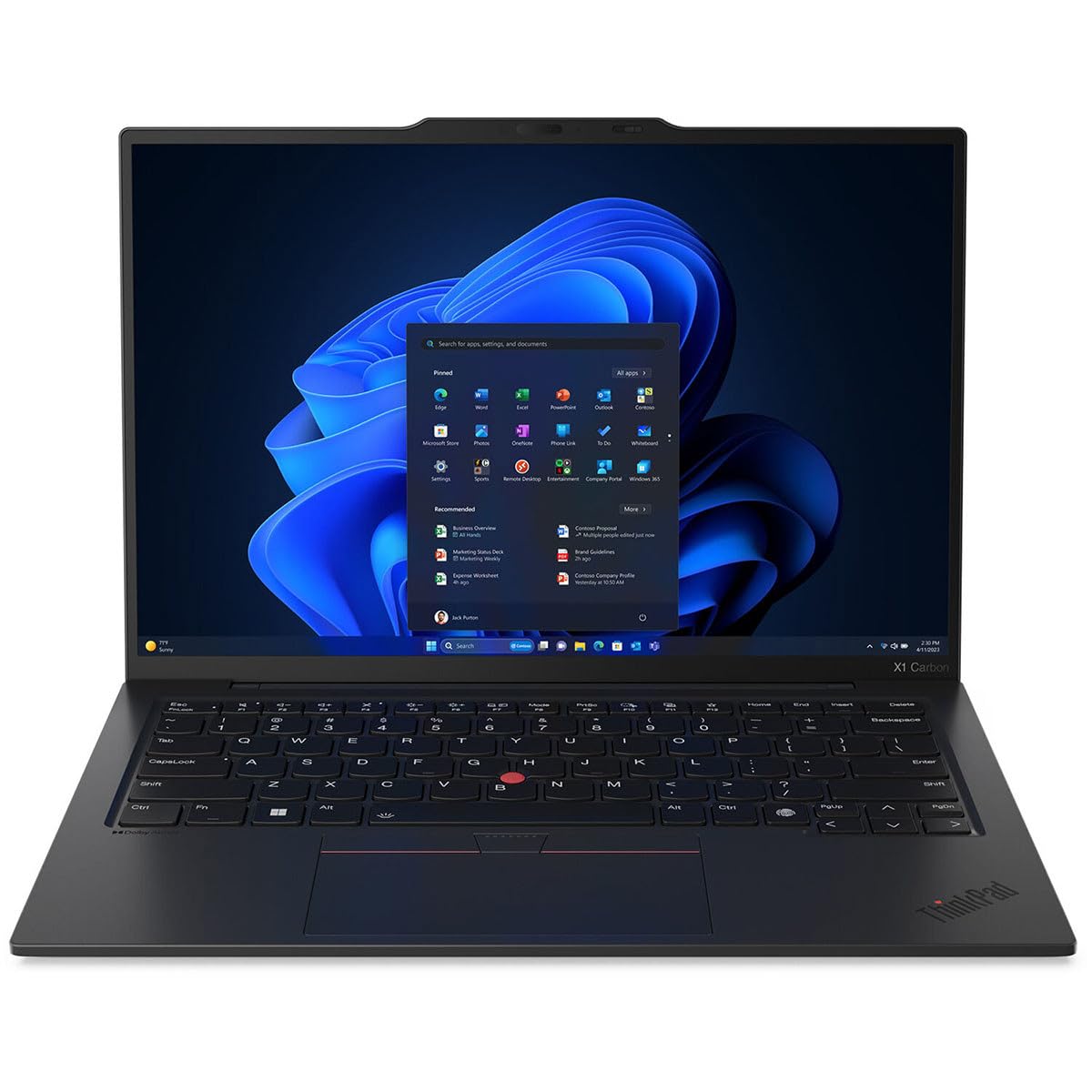
Discover the Lenovo ThinkPad X1 Carbon Gen 12, a notebook designed for professionals who demand performance and portability. This device features a 14-inch anti-glare display with Eyesafe technology, ensuring long hours of work or play are comfortable on the eyes. The audio experience is elevated with Dolby Voice and Dolby Atmos compliant stereo speakers, making every meeting and multimedia content more engaging. Security is paramount, and the ThinkPad X1 Carbon Gen 12 delivers with a Discrete Trusted Platform Module (TPM 2.0) security chip, fingerprint reader, and a range of password and authentication measures to protect your data. Connectivity is versatile, with USB4/Thunderbolt 4, HDMI, and more, facilitating seamless integration with your workspace. Built to last, its carbon fiber and aluminum construction meets MIL-STD-810H standards, ensuring durability in any setting, while also adhering to stringent environmental standards. With these features and more, the Lenovo ThinkPad X1 Carbon Gen 12 stands out as a smart choice for business professionals.
Discover the Lenovo ThinkPad X1 Carbon Gen 12, a notebook designed for professionals who demand performance and portability. This device features a 14-inch anti-glare display with Eyesafe technology, ensuring long hours of work or play are comfortable on the eyes. The audio experience is elevated with Dolby Voice and Dolby Atmos compliant stereo speakers, making every meeting and multimedia content more engaging. Security is paramount, and the ThinkPad X1 Carbon Gen 12 delivers with a Discrete Trusted Platform Module (TPM 2.0) security chip, fingerprint reader, and a range of password and authentication measures to protect your data. Connectivity is versatile, with USB4/Thunderbolt 4, HDMI, and more, facilitating seamless integration with your workspace. Built to last, its carbon fiber and aluminum construction meets MIL-STD-810H standards, ensuring durability in any setting, while also adhering to stringent environmental standards. With these features and more, the Lenovo ThinkPad X1 Carbon Gen 12 stands out as a smart choice for business professionals.
Discover the Lenovo ThinkPad X1 Carbon Gen 12, a notebook designed for professionals who demand performance and portability. This device features a 14-inch anti-glare display with Eyesafe technology, ensuring long hours of work or play are comfortable on the eyes. The audio experience is elevated with Dolby Voice and Dolby Atmos compliant stereo speakers, making every meeting and multimedia content more engaging. Security is paramount, and the ThinkPad X1 Carbon Gen 12 delivers with a Discrete Trusted Platform Module (TPM 2.0) security chip, fingerprint reader, and a range of password and authentication measures to protect your data. Connectivity is versatile, with USB4/Thunderbolt 4, HDMI, and more, facilitating seamless integration with your workspace. Built to last, its carbon fiber and aluminum construction meets MIL-STD-810H standards, ensuring durability in any setting, while also adhering to stringent environmental standards. With these features and more, the Lenovo ThinkPad X1 Carbon Gen 12 stands out as a smart choice for business professionals.
Discover the Lenovo ThinkPad X1 Carbon Gen 12, a notebook designed for professionals who demand performance and portability. This device features a 14-inch anti-glare display with Eyesafe technology, ensuring long hours of work or play are comfortable on the eyes. The audio experience is elevated with Dolby Voice and Dolby Atmos compliant stereo speakers, making every meeting and multimedia content more engaging. Security is paramount, and the ThinkPad X1 Carbon Gen 12 delivers with a Discrete Trusted Platform Module (TPM 2.0) security chip, fingerprint reader, and a range of password and authentication measures to protect your data. Connectivity is versatile, with USB4/Thunderbolt 4, HDMI, and more, facilitating seamless integration with your workspace. Built to last, its carbon fiber and aluminum construction meets MIL-STD-810H standards, ensuring durability in any setting, while also adhering to stringent environmental standards. With these features and more, the Lenovo ThinkPad X1 Carbon Gen 12 stands out as a smart choice for business professionals.
Last updated at 07/30/2026 18:10:56
Lenovo ThinkPad X1 Carbon Gen 12 14” WUXGA | Intel Core Ultra 7 155U | 16GB RAM | 512GB SSD | Brand New
Free delivery between 6–14 Aug
Lenovo ThinkPad X1 Carbon G12 14in Ultra 7 155U WUXGA 512GB SSD 16GB RAM W11P Laptop (21KC002QAU)
Out of stock online
Lenovo ThinkPad X1 Carbon G12 14" WUXGA AI Ready Laptop Ultra Core 5 16GB 512GB W11P
Free delivery between 3–10 Aug
Lenovo ThinkPad X1 Carbon G12 14" WUXGA AI Ready Laptop Ultra Core 7 16GB 512GB W11P
Free delivery between 3–10 Aug
Lenovo ThinkPad X1 Carbon 14in WUXGA Touch Ultra 7 155U 512GB SSD 16GB RAM W11P Laptop (21KC002SAU)
Lenovo ThinkPad X1 Carbon 14" WUXGA IR i7-155U 16GB DDR5 512GB SSD NPU 11TOPS Laptop
Free delivery between 4–7 Aug
"Lenovo ThinkPad X1 Carbon G12 14"WUXGA Laptop Ultra Core 7 16GB 512GB W11 Pro"
Delivery $12.99
LENOVO ThinkPad X1 Carbon 14" WUXGA TOUCH IR Intel U7-155U 16GB DDR5 512GB SSD WIN 11 PRO Intel Graphics AI PC NPU 11 TOPS Thunderbolt 3yr Pre 1kg
Lenovo 21KC002RAU
Free delivery between 4–11 Aug
Lenovo 21KC002QAU
Free delivery between 4–11 Aug
originally posted on lenovo.com
I bought the X1 Gen 12 to replace my eight year-old X1 Gen 4, which is still working well, but is running Windows 10.The Gen 12 has a beautiful pin-sharp OLED touch-screen which can be projected onto my LG 5k curved monitor. I really like the single USB-C connecting cable that goes with the dock, this really does make connection and operation much easier.The build quality is superb, just like my old one, and it is slightly smaller and lighter than the Gen 4. The keyboard is up to the regular high standards.I do appreciate the lack of bloatware on the machine; everything works just so well.Performance wise, the Gen 12 is at least 3X the speed of the Gen 4 in everything. (both machines had NVMe drives, Gen 4 16GB RAM, Gen 12 64GB RAM), so a good ... MoreI bought the X1 Gen 12 to replace my eight year-old X1 Gen 4, which is still working well, but is running Windows 10.The Gen 12 has a beautiful pin-sharp OLED touch-screen which can be projected onto my LG 5k curved monitor. I really like the single USB-C connecting cable that goes with the dock, this really does make connection and operation much easier.The build quality is superb, just like my old one, and it is slightly smaller and lighter than the Gen 4. The keyboard is up to the regular high standards.I do appreciate the lack of bloatware on the machine; everything works just so well.Performance wise, the Gen 12 is at least 3X the speed of the Gen 4 in everything. (both machines had NVMe drives, Gen 4 16GB RAM, Gen 12 64GB RAM), so a good improvement.I expected excellence and received an excellent product, so I am very pleased.Lenovo however needs to stop advertising the product as just for business, I bought this with my own money for personal use. Consumers are allowed quality products too. Thank you
originally posted on lenovo.com
This is my second X1 Gen 12. The first one I returned after the standard touchpad was acting up. A Lenovo tech came and tried to fix it by replacing it but no luck. Seems it just didn't work with my fingers, strange as it may sound. I ordered this second one with the Sensel touchpad. The additional price (another $300 or so) on an already too expensive laptop didn't impress me, but I love the X1... This is replacing a Gen 5 that still works flawlessly after 6 years (and after keyboard replacement... I actually wore holes through a few keys).The new X1 with the Sensel is excellent. The Sensel touchpad is excellent, smooth and accurate out of the box with no tweaks to settings required.The laptop itself is a dream to use. Everything is at least a little bit better ... MoreThis is my second X1 Gen 12. The first one I returned after the standard touchpad was acting up. A Lenovo tech came and tried to fix it by replacing it but no luck. Seems it just didn't work with my fingers, strange as it may sound. I ordered this second one with the Sensel touchpad. The additional price (another $300 or so) on an already too expensive laptop didn't impress me, but I love the X1... This is replacing a Gen 5 that still works flawlessly after 6 years (and after keyboard replacement... I actually wore holes through a few keys).The new X1 with the Sensel is excellent. The Sensel touchpad is excellent, smooth and accurate out of the box with no tweaks to settings required.The laptop itself is a dream to use. Everything is at least a little bit better than my old X1 and it's a lot faster, and facial recognition is awesome.My only complaints are as follows. 1) They finally caved and put the CTRL and Fn keys in the standard locations. Too bad. The ThinkPad way really is the right way and they should have stuck to their guns. I switched them back in the BIOS and suspect that I can remove and swap the physical keys but haven't given it much of a try yet.2) I wish they still had an SD card reader on the X13) I wish they would put a USB-C / charging port on the right hand side as well. Why not?
originally posted on lenovo.com
Build Quality- Overall build quality is good, feel is great, but mine had several issues below- Top right of screen casing not fit right- Lid does not close with perfect alignment on either side?- No creakingBattery life~3 hrs from 100% to 50% under the following conditions (moderate heavy on higher settings)- Moderate to heavy use, including streaming 4k video & general office tasks (excel, messaging, music, etc)- Screen refresh rate set at the higher 120 HzPerformance- No issues with overheating thus far under the conditions mentioned above
| General | |
| Product Type | Notebook - AI Ready - 180-degree hinge design |
| Operating System | Windows 11 Pro - English |
| Processor / Chipset | |
| CPU | Intel Core Ultra 7 (Series 1) 155U / 1.7 GHz |
Lenovo ThinkPad X1 Carbon Gen 12 14” WUXGA | Intel Core Ultra 7 155U | 16GB RAM | 512GB SSD | Brand New
Free delivery between 6–14 Aug
Lenovo ThinkPad X1 Carbon G12 14in Ultra 7 155U WUXGA 512GB SSD 16GB RAM W11P Laptop (21KC002QAU)
Out of stock online
Lenovo ThinkPad X1 Carbon G12 14" WUXGA AI Ready Laptop Ultra Core 5 16GB 512GB W11P
Free delivery between 3–10 Aug
Lenovo ThinkPad X1 Carbon G12 14" WUXGA AI Ready Laptop Ultra Core 7 16GB 512GB W11P
Free delivery between 3–10 Aug
Lenovo ThinkPad X1 Carbon 14in WUXGA Touch Ultra 7 155U 512GB SSD 16GB RAM W11P Laptop (21KC002SAU)
I bought the X1 Gen 12 to replace my eight year-old X1 Gen 4, which is still working well, but is running Windows 10.The Gen 12 has a beautiful pin-sharp OLED touch-screen which can be projected onto my LG 5k curved monitor. I really like the single USB-C connecting cable that goes with the dock, this really does make connection and operation much easier.The build quality is superb, just like my old one, and it is slightly smaller and lighter than the Gen 4. The keyboard is up to the regular high standards.I do appreciate the lack of bloatware on the machine; everything works just so well.Performance wise, the Gen 12 is at least 3X the speed of the Gen 4 in everything. (both machines had NVMe drives, Gen 4 16GB RAM, Gen 12 64GB RAM), so a good ... MoreI bought the X1 Gen 12 to replace my eight year-old X1 Gen 4, which is still working well, but is running Windows 10.The Gen 12 has a beautiful pin-sharp OLED touch-screen which can be projected onto my LG 5k curved monitor. I really like the single USB-C connecting cable that goes with the dock, this really does make connection and operation much easier.The build quality is superb, just like my old one, and it is slightly smaller and lighter than the Gen 4. The keyboard is up to the regular high standards.I do appreciate the lack of bloatware on the machine; everything works just so well.Performance wise, the Gen 12 is at least 3X the speed of the Gen 4 in everything. (both machines had NVMe drives, Gen 4 16GB RAM, Gen 12 64GB RAM), so a good improvement.I expected excellence and received an excellent product, so I am very pleased.Lenovo however needs to stop advertising the product as just for business, I bought this with my own money for personal use. Consumers are allowed quality products too. Thank you
This is my second X1 Gen 12. The first one I returned after the standard touchpad was acting up. A Lenovo tech came and tried to fix it by replacing it but no luck. Seems it just didn't work with my fingers, strange as it may sound. I ordered this second one with the Sensel touchpad. The additional price (another $300 or so) on an already too expensive laptop didn't impress me, but I love the X1... This is replacing a Gen 5 that still works flawlessly after 6 years (and after keyboard replacement... I actually wore holes through a few keys).The new X1 with the Sensel is excellent. The Sensel touchpad is excellent, smooth and accurate out of the box with no tweaks to settings required.The laptop itself is a dream to use. Everything is at least a little bit better ... MoreThis is my second X1 Gen 12. The first one I returned after the standard touchpad was acting up. A Lenovo tech came and tried to fix it by replacing it but no luck. Seems it just didn't work with my fingers, strange as it may sound. I ordered this second one with the Sensel touchpad. The additional price (another $300 or so) on an already too expensive laptop didn't impress me, but I love the X1... This is replacing a Gen 5 that still works flawlessly after 6 years (and after keyboard replacement... I actually wore holes through a few keys).The new X1 with the Sensel is excellent. The Sensel touchpad is excellent, smooth and accurate out of the box with no tweaks to settings required.The laptop itself is a dream to use. Everything is at least a little bit better than my old X1 and it's a lot faster, and facial recognition is awesome.My only complaints are as follows. 1) They finally caved and put the CTRL and Fn keys in the standard locations. Too bad. The ThinkPad way really is the right way and they should have stuck to their guns. I switched them back in the BIOS and suspect that I can remove and swap the physical keys but haven't given it much of a try yet.2) I wish they still had an SD card reader on the X13) I wish they would put a USB-C / charging port on the right hand side as well. Why not?
Build Quality- Overall build quality is good, feel is great, but mine had several issues below- Top right of screen casing not fit right- Lid does not close with perfect alignment on either side?- No creakingBattery life~3 hrs from 100% to 50% under the following conditions (moderate heavy on higher settings)- Moderate to heavy use, including streaming 4k video & general office tasks (excel, messaging, music, etc)- Screen refresh rate set at the higher 120 HzPerformance- No issues with overheating thus far under the conditions mentioned above
I purchased the X1 Carbon Gen 12 because it has a good history of reviews and support from the Lenovo community. I was replacing a Yoga 7i and felt I could do with a lighter and more work dedicated laptop. The anti-glare and touch screen are appreciated features, along with the easier to use camera privacy shutter. One difference that nags me is the smaller track pad and the feel of it in Thinkpad models, maybe it is a learning curve, but I am having a hard time properly working the two-finger page scrolling, which makes for frustrating navigation at times. Other than this small annoyance, I find this model to be have great performance and be very responsive to my needs. Would recommend, may to folks with smaller fingers at first.
The ThinkPad X1 Carbon Gen 12 Intel (14 inch) is the best business computer I have owned in several years. It is light so easy to travel with. The OLED display is outstanding. I find the performance second to none. I don't know what Lenovo did to the keyboard but it is the best I have ever used in a laptop and I am a major critic of keyboards. There is no doubt that you can find less expensive computers but it all depends on what you are looking for and where your threshold is in terms of work demands. I have owned ThinkPad's from the time IBM first released them. Lenovo has built on that foundation and taken it to a new level. I have no regrets buying this computer and I doubt anyone will have second thoughts once they try it out.
First the good - the made the case smaller, I like the HDMI port switching to other side, and the battery seems to last longer! Now the bad... They switched the Ctrl/Fn keys! As a long time ThinkPad user, I couldn't understand why copy/paste was not working - well, I was pressing Fn, not copy. Way to be loyal to the base - The new location of the Ctrl, while correct for most keyboards, is not a natural reach for your pinky - in fact, it is really hard to do now. While you can easily switch it in the bios, I'm afraid to pull the keys off and swap them. Next up, the PrrSc key is now in the strangest location all because they wanted to add a dedicated fingerprint button - dumb. Dumb dumb dumb. I use PrtScn all the time as as I'm sure regular users do - but now it is in ... MoreFirst the good - the made the case smaller, I like the HDMI port switching to other side, and the battery seems to last longer! Now the bad... They switched the Ctrl/Fn keys! As a long time ThinkPad user, I couldn't understand why copy/paste was not working - well, I was pressing Fn, not copy. Way to be loyal to the base - The new location of the Ctrl, while correct for most keyboards, is not a natural reach for your pinky - in fact, it is really hard to do now. While you can easily switch it in the bios, I'm afraid to pull the keys off and swap them. Next up, the PrrSc key is now in the strangest location all because they wanted to add a dedicated fingerprint button - dumb. Dumb dumb dumb. I use PrtScn all the time as as I'm sure regular users do - but now it is in an awkward location. Finally, the power button on the side - well great, love it, except that's where the light is - and 9/10 I don't know if the computer is waking up from sleep or needs to be powered on - so I have to turn the laptop on its side. The person who made these changes is also the one probably saying to get rid of the trackpoint - fire them before it is too late and please fix these issues on the 13. I can't wait.
As much as I love Lenovo PCs, I wasn't happy with the X1 Carbon Gen 12.First of all, the matte finish is not as the previous Lenovos I owned, it's impossible to clean--brings back the same stain or whatever. I my case to circles that I did not put there from day 1.Secondly, the windows 11 on it was bad. They need to make it possible for people not interested in microsoft products to be able to setup without microsoft forcing them to sign up, etc.Lastly, and the bad part was when microsoft bitdefender renders the machine useless, because without warning it locks the system up, requiring encryption key not previously provided. If that's the case, it should have prompted everyone to set that up first before the use of the machine.
I have used ThinkPads for many years, before Lenovo took them over from IBM, and have recently been using a ThinkPad Yoga Generation 9 and needed a second laptop of similar capabilities and size. I chose the X1 Carbon over another ThinkPad Yoga because the folding screen/tablet facility wasn't required. The keyboards are second to none and I like having the option of being able to use the red navigation button/dongle in the centre of the keyboard. It's good on the road for precise movements when a mouse is unavailable.Both laptops have OLED screens, the Yoga 3840 x 2400 touchscreen and the X1 Carbon 2880 x 1880, also touchscreen. There's a subtle difference and enhanced quality and brightness with the Yoga screen but the X1 Carbon's is pretty good. The one grumble ... MoreI have used ThinkPads for many years, before Lenovo took them over from IBM, and have recently been using a ThinkPad Yoga Generation 9 and needed a second laptop of similar capabilities and size. I chose the X1 Carbon over another ThinkPad Yoga because the folding screen/tablet facility wasn't required. The keyboards are second to none and I like having the option of being able to use the red navigation button/dongle in the centre of the keyboard. It's good on the road for precise movements when a mouse is unavailable.Both laptops have OLED screens, the Yoga 3840 x 2400 touchscreen and the X1 Carbon 2880 x 1880, also touchscreen. There's a subtle difference and enhanced quality and brightness with the Yoga screen but the X1 Carbon's is pretty good. The one grumble I have is that you have to pay top dollar for laptops in the X1 series. However, you have to pay double top dollar for the better quality OLED screens, I believe 2880 x 1880 OLED touchscreen should come as standard for that price, perhaps paying a slight premium for the 3840 x 2400 display.The X1 Carbon has a black, almost rubberised, finish which is quite tactile and easy to hold/grip. I like it. Some reviews have complained that it's a fingerprint magnet but I haven't found it too bad. Moisturised eye glass/camera/screen wipes keep the laptop as good as new.An excellent laptop but you have to pay for it!
My first experience, I bought the X1 Carbon 2nd gen back in 2011. It had 4Gb RAM, and 100Gb SSD. After having Toshiba, Dell, H&P laptops I had found a super solid, respectable, great performing device. I was still using that laptop without any issues in 2024. In 2022, I purchased the Legion for more graphic use application, namely stock charting. It is a great device however a bit large for traveling, which is my main activity. Onto 2024 and thought it time to upgrade my X1 as it was 12 years old, which in my experience is absurd that a laptop could last that long. This device is BOSS! Lightweight, travel ready, powerhouse of uses. I love LOVE this device. Lenovo might not like that their devices last as long as my last X1 but because it did, I am a Customer and ... MoreMy first experience, I bought the X1 Carbon 2nd gen back in 2011. It had 4Gb RAM, and 100Gb SSD. After having Toshiba, Dell, H&P laptops I had found a super solid, respectable, great performing device. I was still using that laptop without any issues in 2024. In 2022, I purchased the Legion for more graphic use application, namely stock charting. It is a great device however a bit large for traveling, which is my main activity. Onto 2024 and thought it time to upgrade my X1 as it was 12 years old, which in my experience is absurd that a laptop could last that long. This device is BOSS! Lightweight, travel ready, powerhouse of uses. I love LOVE this device. Lenovo might not like that their devices last as long as my last X1 but because it did, I am a Customer and FanBoy of the X1 for LIFE. Thanks Lenovo!
I had forgotten why I liked the X1 carbon series so much; I was a Surface user for many years, but this time I decided to give Lenovo another try.I’m absolutely happy to have done it; the performance of this laptop is far superior to my surface, it feels lighter and the battery last longer that I have needed to so far. The screen looks great and the Lenovo View functions are awesome. It reminds me to keep a proper posture and warns me of incoming onlookers!I am definitely happy with this purchase, it can run Witcher 3 with low graphics at 30 fps without problems.Not a gaming laptop, but an overall balanced laptop for work and personal use.
| General | |
| Product Type | Notebook - AI Ready - 180-degree hinge design |
| Operating System | Windows 11 Pro - English |
| Processor / Chipset | |
| CPU | Intel Core Ultra 7 (Series 1) 155U / 1.7 GHz |

